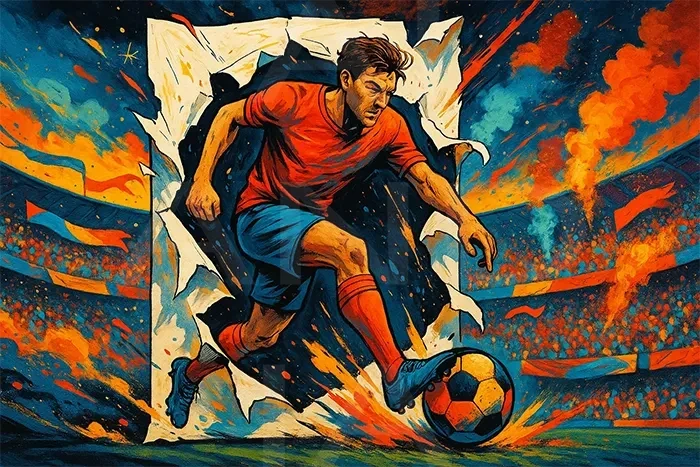
The Art of Prompting: What If an Image First Emerged from the Combination of Words?
Creating an image with artificial intelligence goes beyond simple description: it involves structuring a visual language combining subject, artistic medium, lighting, perspective, and optical technique. This prompt dictionary gathers over 20 categories of reference English expressions to precisely parameterize generative models and achieve a coherent, controlled visual output.
Creating an image with artificial intelligence is no longer simply a matter of describing what you want to see. The real challenge begins when you learn how to compose a visual language, layer intentions, and make expressions interact with one another—expressions that, taken individually, may sometimes seem quite ordinary. A good prompt is not a magic sentence: it is an architecture. It organizes a subject, a material, a light source, a perspective, a color palette, a depth, a technique, and sometimes a cultural reference in order to guide the model toward a specific aesthetic.
Why do certain combinations of words produce a spectacular image, while an apparently more detailed description remains flat or confusing? The answer often lies less in the number of words than in how they are articulated. An effective prompt works like a musical score: each expression adds information, modifies the atmosphere, or imposes a visual constraint. The artificial intelligence then interprets not only the subject, but also the relationships between the different parameters.
This is the whole purpose of this prompt dictionary. It does not seek to confine creativity to rigid formulas. Instead, it offers a vast reservoir of commonly used English expressions for guiding image generation: artistic media, drawing techniques, photographic processes, lenses, perspectives, camera settings, color palettes, geometry, materials, lighting, optical effects, post-processing, shaders, and artistic styles.
The essential idea is simple: a prompt is built in layers.
You can start with a very specific subject—a portrait, a piece of architecture, a landscape, or an object—and then progressively associate characteristics with it:
-
a medium:
Watercolor,Graphite,Ink,Oil Paint; -
a technique:
Crosshatch,Linocut,Papercutting,Frottage; -
a camera shot:
Macro,Telephoto,Wide Angle,Aerial View; -
a perspective:
Isometric,Orthographic,First-Person,Third-Person View; -
a lighting:
Cinematic Lighting,Rembrandt Lighting,Backlight,Volumetric Lighting; -
a material:
Marble,Brushed Aluminum,Stained Glass,Velvet, or any other material suited to the scene ; -
a palette:
Warm Color Palette,Monochrome,Neon,Analogous-Colors; -
a photographic treatment:
Kodachrome,Fujifilm Superia,Ilford HP5,35mm; -
an optical or digital effect:
Lens Flare,Depth of Field,Bokeh,Ray Tracing, or an equivalent expression found in the dictionary ; -
finally, if necessary, a stylistic reference or artistic direction.
The power does not necessarily come from a single word. It emerges from the combination.
### Mixing Expressions Without Creating an Incoherent Prompt
There is, however, a crucial nuance: more is not always better. Stacking twenty contradictory effects can lead to a confusing image. A realistic photographic aesthetic, an antique engraving, a cell-shaded scene, and a thick-painted texture can coexist, but the result will depend on the implicit hierarchy established by the prompt.
It is preferable to think in terms of families.
The first group defines what we see. The second specifies how we see it. The third indicates what material or technique the image appears to have been created with. The fourth establishes the lighting and color. A fifth can finally add a temporal, cinematic, fantastical, or experimental dimension.
This produces a particularly effective construction logic:
Subject → composition → medium → camera → lighting → color → material → atmosphere → details → finishing
This sequence is not an absolute rule, but it provides an excellent working method for quickly exploring a visual universe.
## How to Use This AI Prompt Dictionary?
The principle is to select a few expressions from different categories and then combine them around a specific subject. For example, a landscape can successively become an ink illustration, a 35mm photograph, an isometric composition, or a scene bathed in volumetric light. The subject remains the same; the visual vocabulary changes.
To experiment effectively, it is advisable to modify only a few variables at a time. Start with two or three strong expressions, generate several variations, and then gradually add a new dimension. This method makes it possible to understand what each expression actually contributes.
Another strategy is to deliberately contrast different families. Combining Graphite and Cinematic Lighting, for example, does not merely describe a technique: it creates a tension between traditional drawing and the visual language of cinema. Likewise, Isometric combined with Blueprint, or Macro combined with a crystalline material, can produce radically different results without changing the initial subject.
The dictionary should therefore be regarded as a lexical toolbox. The terms are not universal commands, and their interpretation may vary depending on the image generator, its model, its training, its weighting system, and the rest of the prompt. An expression that produces a very strong effect in one model may have a more subtle influence in another.
## A Simple Method for Building a Visual Prompt
To move quickly from an idea to an image, you can use this structure:
[Main subject]

[Style or medium]

[Composition and perspective]

[Camera or focal length]

[Lighting]

[Color palette]

[Materials and textures]

[Atmosphere]

[Details and finishing]
Conceptual example:
ancient observatory in the mountains,

Concept Art,

Wide Angle,

Aerial View,

Cinematic Lighting,

Cool Color Palette,

Stone,

Volumetric Lighting,

detailed and intricate
The benefit of this structure is that it separates the different functions. If the image does not work, you can identify the layer that needs to be modified instead of rewriting the entire prompt.
## A Dictionary Designed for Experimentation
The categories gathered here cover very different fields. Some expressions directly describe an artistic process; others act more like indications of camera settings, rendering, materials, or post-production. This diversity is precisely what makes combining them so interesting.
The expressions are kept in their original wording so that they can be directly reused in a prompt. Strictly identical duplicates have been consolidated whenever possible, while distinct lexical variants have been preserved. The dictionary therefore remains focused on practical use: choose, combine, test, compare, and refine.
For professional work, it is also useful to keep several versions of the same prompt. One version may prioritize composition, another materials, a third lighting, and a fourth photographic treatment. This approach turns image generation into a genuine visual research process.
## From Keyword to Art Direction
As you become more proficient with these expressions, the prompt ceases to be a simple description and becomes a form of art direction. You are no longer simply asking AI to “create an image”: you are providing it with a coherent set of signals that can be used to construct a visual identity.
This is where the deeper value of image prompt engineering lies. Vocabulary becomes a material. Words become pigments. Categories become palettes. And their combination makes it possible to move from an abstract idea to a visual representation precise enough to be explored, compared, and then refined.
The dictionary below is designed in this spirit: do not necessarily look for the perfect prompt; look for the combination that opens the right direction.
## Complete Dictionary of Prompt Expressions
How to read the dictionary: each entry is accompanied by a specific indication of its expression and thematic family. These descriptions are composition guidelines: the exact effect of a term may vary depending on the image model, its training, the rest of the prompt, and the parameters used.
## Art Medium — Artistic Media and Techniques
### Drawing
| Prompt Expression | Role in the Prompt |
|---|---|
Illustration |
Guides the image toward a structured and readable illustration, suitable for narrative, editorial, or conceptual scenes. |
Sketch |
Evokes a deliberately spontaneous sketch, with preparatory strokes and a less rigid finish. |
| Drawing | Reinforces the appearance of a traditional drawing by emphasizing linework, contours, and manual construction. |
| Doodle | Introduces a loose and spontaneous scribbled drawing, useful for a playful or deliberately informal aesthetic. |
| Children's Drawing | Imitates the expressiveness of a child’s drawing, with simple shapes, naive linework, and spontaneous composition. |
| Dot Art | Builds the rendering from visible dots, creating a graphic texture reminiscent of pointillism or pixel art. |
| Line Art | Emphasizes clean contours and lines while reducing painterly volumes and filled-in details. |
| Stipple | Uses a rendering made of small dots to suggest shadows, volumes, and variations in density. |
| Hand-Drawn | Gives the appearance of a hand-drawn image, with slight irregularities that move the rendering away from perfect geometry. |
| Crosshatch | Adds cross-hatching to construct shadows and volumes using a traditional graphic language. |
| Storybook Illustration | Establishes a children’s storybook illustration aesthetic that is narrative, warm, and immediately readable. |
| Graphic Novel | Directs the composition toward the visual language of a graphic novel, with narrative framing, contrasts, and distinctive linework. |
| Visual Novel | Favors a visual novel aesthetic centered on characters, narrative settings, and an illustrative presentation. |
| Illustrated-Booklet | Directs the rendering toward « Illustrated-Booklet », emphasizing the medium, gesture, or graphic texture suggested by this expression. |
| Assembly Drawing | Directs the rendering toward « Assembly Drawing », emphasizing the medium, gesture, or graphic texture suggested by this expression. |
| Anatomic Drawing | Directs the rendering toward « Anatomic Drawing », emphasizing the medium, gesture, or graphic texture suggested by this expression. |
| Cartographic | Transforms the representation into a cartographic language, emphasizing spatial organization, symbols, and the reading of territories. |
### Pencil
| Expression de prompt | Rôle dans le prompt |
|—|—|
| Pencil Art | Imitates a pencil drawing by emphasizing linework, tonal values, and paper texture. |
| Graphite | Reinforces a graphite rendering, with nuanced grays, carefully developed shadows, and a characteristic dry medium texture. |
| Colored Pencil | Introduces the appearance of colored pencils, with visible pigment layers and a soft graphic texture. |
| Charcoal Art | Directs the rendering toward charcoal, with deep blacks, visible material marks, and expressive transitions. |
### Ink
| Expression de prompt | Rôle dans le prompt |
|—|—|
| Ink | Favors an ink aesthetic defined by strong contours, solid areas, and pronounced contrasts. |
| Ballpoint Pen | Evokes ballpoint pen drawing with fine lines, dense hatching, and characteristic variations in density. |
| Gel Pen | Introduces gel pen linework, often cleaner and denser, which can emphasize graphic details. |
| Fountain Pen | Gives the drawing the qualities of pen and ink, with elegant strokes and variations in line weight. |
| Fountain Pen Art | Directs the rendering toward « Fountain Pen Art », emphasizing the medium, gesture, or graphic texture suggested by this expression. |
| Calligraphy | Directs typography or drawing toward a carefully composed, decorative calligraphic style. |
| Marker Art | Simulates graphic markers with bold areas of color, visible contours, and often more direct colors. |
| Dry-Erase Marker | Directs the rendering toward « Dry-Erase Marker », emphasizing the medium, gesture, or graphic texture suggested by this expression. |
| Wet-Erase Marker | Directs the rendering toward « Wet-Erase Marker », emphasizing the medium, gesture, or graphic texture suggested by this expression. |
| Whiteboard | Directs the rendering toward « Whiteboard », emphasizing the medium, gesture, or graphic texture suggested by this expression. |
### Pastels and Chalk
| Expression de prompt | Rôle dans le prompt |
|—|—|
| Crayon | Directs the rendering toward « Crayon », emphasizing the medium, gesture, or graphic texture suggested by this expression. |
| Conte | Directs the rendering toward « Conte », emphasizing the medium, gesture, or graphic texture suggested by this expression. |
| Chalk | Directs the rendering toward « Chalk », emphasizing the medium, gesture, or graphic texture suggested by this expression. |
| Pastel Art | Directs the rendering toward « Pastel Art », emphasizing the medium, gesture, or graphic texture suggested by this expression. |
| Blackboard | Directs the rendering toward « Blackboard », emphasizing the medium, gesture, or graphic texture suggested by this expression. |
| Chalkboard | Directs the rendering toward « Chalkboard », emphasizing the medium, gesture, or graphic texture suggested by this expression. |
### Paint
| Prompt Expression | Role in the Prompt |
|—|—|
| Painting | Directs the rendering toward “Painting”, emphasizing the medium, the gesture, or the graphic texture suggested by that expression. |
| Canvas | Directs the rendering toward “Canvas”, emphasizing the medium, the gesture, or the graphic texture suggested by that expression. |
| Still-Life | Directs the rendering toward “Still-Life”, emphasizing the medium, the gesture, or the graphic texture suggested by that expression. |
| Fine Art | Directs the rendering toward “Fine Art”, emphasizing the medium, the gesture, or the graphic texture suggested by that expression. |
| Color Field Painting | Directs the rendering toward “Color Field Painting”, emphasizing the medium, the gesture, or the graphic texture suggested by that expression. |
| Hard Edge Painting | Directs the rendering toward “Hard Edge Painting”, emphasizing the medium, the gesture, or the graphic texture suggested by that expression. |
| Scroll Painting | Directs the rendering toward “Scroll Painting”, emphasizing the medium, the gesture, or the graphic texture suggested by that expression. |
| Paper-Marbling | Directs the rendering toward “Paper-Marbling”, emphasizing the medium, the gesture, or the graphic texture suggested by that expression. |
| Hydro-Dipping | Directs the rendering toward “Hydro-Dipping”, emphasizing the medium, the gesture, or the graphic texture suggested by that expression. |
| Hydrodipped | Directs the rendering toward “Hydrodipped”, emphasizing the medium, the gesture, or the graphic texture suggested by that expression. |
| Easter Egg | Directs the rendering toward “Easter Egg”, emphasizing the medium, the gesture, or the graphic texture suggested by that expression. |
| Egg Decorating | Directs the rendering toward “Egg Decorating”, emphasizing the medium, the gesture, or the graphic texture suggested by that expression. |
| Rock Art | Directs the rendering toward “Rock Art”, emphasizing the medium, the gesture, or the graphic texture suggested by that expression. |
| Cave Art | Directs the rendering toward “Cave Art”, emphasizing the medium, the gesture, or the graphic texture suggested by that expression. |
| Street Art | Directs the rendering toward “Street Art”, emphasizing the medium, the gesture, or the graphic texture suggested by that expression. |
| Mural | Directs the rendering toward “Mural”, emphasizing the medium, the gesture, or the graphic texture suggested by that expression. |
| Artwork | Directs the rendering toward “Artwork”, emphasizing the medium, the gesture, or the graphic texture suggested by that expression. |
| Chinese Painting | Directs the rendering toward “Chinese Painting”, emphasizing the medium, the gesture, or the graphic texture suggested by that expression. |
| Tibetan Painting | Directs the rendering toward “Tibetan Painting”, emphasizing the medium, the gesture, or the graphic texture suggested by that expression. |
| Airbrush | Softens the rendering with very gradual gradients and an airbrush-like finish. |
| Paint | Directs the rendering toward “Paint”, emphasizing the medium, the gesture, or the graphic texture suggested by that expression. |
| Acrylic Paint | Directs the rendering toward acrylic paint, with pigmented areas, a versatile medium, and generally well-defined contours. |
| Oil Paint | Evokes oil painting through a dense painterly texture, rich colors, and carefully developed transitions. |
| Watercolor | Establishes a watercolor rendering based on washes, pigment transparency, and fluid transitions. |
| Tempera Paint | Evokes tempera through a matte and precise painting technique, suited to decorative renderings and finely worked surfaces. |
| Gouache Paint | Produces a gouache aesthetic, more opaque and matte than watercolor, with highly readable areas of color. |
| Wet Paint | Directs the rendering toward “Wet Paint”, emphasizing the medium, the gesture, or the graphic texture suggested by that expression. |
| Dripping Paint | Adds visible paint drips to create an expressive material quality and a vertical sense of movement. |
| Splatter Paint | Introduces irregular paint splatters, useful for an energetic, gestural, or experimental aesthetic. |
| Spray Paint | Evokes aerosol paint with diffuse contours, sprayed textures, and an aesthetic close to street art. |
| Puffy Paint | Directs the rendering toward “Puffy Paint”, emphasizing the medium, the gesture, or the graphic texture suggested by that expression. |
| Glass Paint | Directs the rendering toward “Glass Paint”, emphasizing the medium, the gesture, or the graphic texture suggested by that expression. |
### Text
| Prompt Expression | Role in the Prompt |
|—|—|
| Text | Gives text or symbols a visual presence corresponding to “Text”, useful for working with typography, writing, or graphic composition. |
| Typeface | Gives text or symbols a visual presence corresponding to “Typeface”, useful for working with typography, writing, or graphic composition. |
| Font | Gives text or symbols a visual presence corresponding to “Font”, useful for working with typography, writing, or graphic composition. |
| Says | Gives text or symbols a visual presence corresponding to “Says”, useful for working with typography, writing, or graphic composition. |
| Letters | Gives text or symbols a visual presence corresponding to “Letters”, useful for working with typography, writing, or graphic composition. |
| Graphemes | Gives text or symbols a visual presence corresponding to “Graphemes”, useful for working with typography, writing, or graphic composition. |
| Written Letters | Gives text or symbols a visual presence corresponding to “Written Letters”, useful for working with typography, writing, or graphic composition. |
| Words | Gives text or symbols a visual presence corresponding to “Words”, useful for working with typography, writing, or graphic composition. |
| Lexemes | Gives text or symbols a visual presence corresponding to “Lexemes”, useful for working with typography, writing, or graphic composition. |
| Written Words | Gives text or symbols a visual presence corresponding to “Written Words”, useful for working with typography, writing, or graphic composition. |
| Caption | Gives text or symbols a visual presence corresponding to “Caption”, useful for working with typography, writing, or graphic composition. |
| Prompt Expression | Role in the Prompt |
|—|—|
| Modern Art | Transforms the presentation of the subject according to the “Modern Art” process, emphasizing its materiality and method of production. |
| Concept Art | Directs the image toward a concept-art direction, particularly suited to worlds, environments, characters, and visual ideas. |
| Digital Art | Signals a digital aesthetic that may emphasize sharpness, shape control, lighting effects, or a synthetic finish. |
| Logo | Transforms the subject into an identifiable graphic symbol, with a simplified composition designed for readability. |
| Stamp | Transforms the presentation of the subject according to the “Stamp” process, emphasizing its materiality and method of production. |
| Postage Stamp | Transforms the presentation of the subject according to the “Postage Stamp” process, emphasizing its materiality and method of production. |
| Business Card | Transforms the presentation of the subject according to the “Business Card” process, emphasizing its materiality and method of production. |
| Collage | Assembles multiple visual elements like cut-out or overlapping fragments, with a deliberately composite logic. |
| Photocollage | Blends several photographs or photographic elements to create a recomposed image. |
| Fotocollage | Transforms the presentation of the subject according to the “Fotocollage” process, emphasizing its materiality and method of production. |
| Lithography | Evokes lithography with a graphic print appearance, flat areas, textures, and an editorial aesthetic. |
| Block Printing | Transforms the presentation of the subject according to the “Block Printing” process, emphasizing its materiality and method of production. |
| Magazine | Transforms the presentation of the subject according to the “Magazine” process, emphasizing its materiality and method of production. |
| Newspaper | Transforms the presentation of the subject according to the “Newspaper” process, emphasizing its materiality and method of production. |
| Newsprint | Transforms the presentation of the subject according to the “Newsprint” process, emphasizing its materiality and method of production. |
| Blueprint | Directs the image toward a technical blueprint, with schematic readability, precise lines, and an architectural presentation. |
| Comic Book | Introduces the visual codes of American comic books: expressive framing, inking, contrasts, and visual storytelling. |
| Booklet | Transforms the presentation of the subject according to the “Booklet” process, emphasizing its materiality and method of production. |
| Poster | Structures the image like a poster, with a strong visual hierarchy and an immediately identifiable subject. |
| Sticker | Transforms the presentation of the subject according to the “Sticker” process, emphasizing its materiality and method of production. |
| Barcode | Transforms the presentation of the subject according to the “Barcode” process, emphasizing its materiality and method of production. |
| QR Code | Transforms the presentation of the subject according to the “QR Code” process, emphasizing its materiality and method of production. |
| Pokemon | Transforms the presentation of the subject according to the “Pokemon” process, emphasizing its materiality and method of production. |
| Pokemon Card | Transforms the presentation of the subject according to the “Pokemon Card” process, emphasizing its materiality and method of production. |
| Pokémon | Transforms the presentation of the subject according to the “Pokémon” process, emphasizing its materiality and method of production. |
| Pokémon Card | Transforms the presentation of the subject according to the “Pokémon Card” process, emphasizing its materiality and method of production. |
### Origami
| Prompt Expression | Role in the Prompt |
|—|—|
| Origami | Transforms shapes into folded-paper volumes, with sharp edges and geometry created by the folds. |
| Modular Origami | Transforms the presentation of the subject according to the “Modular Origami” process, emphasizing its materiality and method of production. |
| Rigid Origami | Transforms the presentation of the subject according to the “Rigid Origami” process, emphasizing its materiality and method of production. |
| Sonobe | Transforms the presentation of the subject according to the “Sonobe” process, emphasizing its materiality and method of production. |
| Kirigami | Adds a logic of cut and folded paper, creating complex silhouettes while retaining a paper-like materiality. |
| Moneygami | Transforms the presentation of the subject according to the “Moneygami” process, emphasizing its materiality and method of production. |
| Wet-Folding | Transforms the presentation of the subject according to the “Wet-Folding” process, emphasizing its materiality and method of production. |
### Mosaic
| Prompt Expression | Role in the Prompt |
|—|—|
| Mosaic | Composes the image as an assembly of small pieces, creating a fragmented and decorative texture. |
| Micromosaic | Transforms the presentation of the subject according to the “Micromosaic” process, emphasizing its materiality and method of production. |
| Glass Mosaic | Combines mosaic with glass tesserae, featuring colorful, reflective, and strongly structured fragments. |
| Photographic Mosaic | Transforms the presentation of the subject according to the “Photographic Mosaic” process, emphasizing its materiality and method of production. |
| Impressionist Mosaic | Transforms the presentation of the subject according to the “Impressionist Mosaic” process, emphasizing its materiality and method of production. |
### Frame
| Prompt Expression | Role in the Prompt |
|—|—|
| Frame | Places the subject within a framing logic, useful for presenting an artwork or a clearly bounded composition. |
| Framed | Uses “Framed” as a targeted visual indication, leaving the other prompt elements to specify the subject, composition, and atmosphere. |
| Wooden Frame | Evokes wood through its grain, veining, and organic character. The term “Wooden Frame” can therefore serve as a targeted lever when constructing the prompt. |
| Wooden Framed | Evokes wood through its grain, veining, and organic character. The term “Wooden Framed” can therefore serve as a targeted lever when constructing the prompt. |
### Decal
| Prompt Expression | Role in the Prompt |
|—|—|
| Wall Decal | Directs the visual toward a motif applied to a wall, with a graphic and decorative interpretation. |
### Banner
| Prompt Expression | Role in the Prompt |
|—|—|
| Banner | Structures the image as a horizontal banner, suitable for panoramic compositions and web or event-oriented formats. |
### Signage
| Prompt Expression | Role in the Prompt |
|—|—|
| Signage | Introduces the visual language of signage: readable symbols, clear organization, and an orientational function. |
### Carving, Etching, and Modeling
| Prompt Expression | Role in the Prompt |
|—|—|
| Carving | Evokes a form sculpted or carved from a solid material, with defined reliefs, cuts, and volumes. |
| Etching | Directs the rendering toward engraving, with fine lines, incisions, and an antique print texture. |
| Papercutting | Builds forms as paper cutouts, playing with silhouettes, negative space, and layering. |
| Whittling | Suggests woodworking carried out through successive small cuts, with the carved material deliberately visible. |
| Wood-Carving | Gives the subject the appearance of a wood sculpture, with grain, relief, and tool marks. |
| Chip-Carving | Transforms the presentation of the subject according to the “Chip-Carving” process, emphasizing its materiality and method of production. |
| Relief-Carving | Transforms the presentation of the subject according to the “Relief-Carving” process, emphasizing its materiality and method of production. |
| Ice-Carving | Transforms the presentation of the subject according to the “Ice-Carving” process, emphasizing its materiality and method of production. |
| Lacquer | Transforms the presentation of the subject according to the “Lacquer” process, emphasizing its materiality and method of production. |
| String-Art | Transforms the presentation of the subject according to the “String-Art” process, emphasizing its materiality and method of production. |
| Paper-Mache | Transforms the presentation of the subject according to the “Paper-Mache” process, emphasizing its materiality and method of production. |
| Paper Model | Transforms the presentation of the subject according to the “Paper Model” process, emphasizing its materiality and method of production. |
| Card | Transforms the presentation of the subject according to the “Card” process, emphasizing its materiality and method of production. |
| Carved Lacquer | Transforms the presentation of the subject according to the “Carved Lacquer” process, emphasizing its materiality and method of production. |
| Fretwork | Transforms the presentation of the subject according to the “Fretwork” process, emphasizing its materiality and method of production. |
| Intaglio | Transforms the presentation of the subject according to the “Intaglio” process, emphasizing its materiality and method of production. |
| Mezzotint | Transforms the presentation of the subject according to the “Mezzotint” process, emphasizing its materiality and method of production. |
| Aquatint | Transforms the presentation of the subject according to the “Aquatint” process, emphasizing its materiality and method of production. |
| Linocut | Transforms the presentation of the subject according to the “Linocut” process, emphasizing its materiality and method of production. |
| Pyrography | Imitates pyrography, in which forms are drawn through marks burned directly into wood. |
| Puppet | Transforms the presentation of the subject according to the “Puppet” process, emphasizing its materiality and method of production. |
| Balloon Modelling | Transforms the presentation of the subject according to the “Balloon Modelling” process, emphasizing its materiality and method of production. |
| Balloon Twisting | Transforms the presentation of the subject according to the “Balloon Twisting” process, emphasizing its materiality and method of production. |
| Circuit | Transforms the presentation of the subject according to the “Circuit” process, emphasizing its materiality and method of production. |
| Circuitry | Transforms the presentation of the subject according to the “Circuitry” process, emphasizing its materiality and method of production. |
### Pottery and Glass
| Prompt Expression | Role in the Prompt |
|—|—|
| Glaze | Adds a glassy or glossy layer that modifies the surface and intensifies color depth. |
| Overglaze | Transforms the presentation of the subject according to the “Overglaze” process, emphasizing its materiality and method of production. |
| Inglaze | Transforms the presentation of the subject according to the “Inglaze” process, emphasizing its materiality and method of production. |
| Azulejo | Evokes a decoration of painted tiles, with repeating patterns, ceramic surfaces, and panel-like organization. |
| Paleolithic Pottery | Transforms the presentation of the subject according to the “Paleolithic Pottery” process, emphasizing its materiality and method of production. |
| Neolithic Pottery | Transforms the presentation of the subject according to the “Neolithic Pottery” process, emphasizing its materiality and method of production. |
| Bone China | Transforms the presentation of the subject according to the “Bone China” process, emphasizing its materiality and method of production. |
| Ornament | Transforms the presentation of the subject according to the “Ornament” process, emphasizing its materiality and method of production. |
### Light
| Prompt Expression | Role in the Prompt |
|—|—|
| Light Art | Makes light itself a graphic or sculptural material at the heart of the composition. |
| Light Painting | Simulates light trails drawn during a long exposure, with visible lines and trajectories. |
| Lightpainting | Places light at the forefront by modifying the atmosphere, volumes, and reading of the subject. The term “Lightpainting” can therefore serve as a targeted lever when constructing the prompt. |
### Uncategorized
| Prompt Expression | Role in the Prompt |
|—|—|
| Arts and Crafts | Uses “Arts and Crafts” as a targeted visual indication, leaving the other prompt elements to specify the subject, composition, and atmosphere. |
| Resin | Uses “Resin” as a targeted visual indication, leaving the other prompt elements to specify the subject, composition, and atmosphere. |
| Enamel Pin | Uses “Enamel Pin” as a targeted visual indication, leaving the other prompt elements to specify the subject, composition, and atmosphere. |
| Bejeweled | Uses “Bejeweled” as a targeted visual indication, leaving the other prompt elements to specify the subject, composition, and atmosphere. |
| Latte Art | Uses “Latte Art” as a targeted visual indication, leaving the other prompt elements to specify the subject, composition, and atmosphere. |
| Coffee Stain | Uses “Coffee Stain” as a targeted visual indication, leaving the other prompt elements to specify the subject, composition, and atmosphere. |
| Smoke Art | Uses “Smoke Art” as a targeted visual indication, leaving the other prompt elements to specify the subject, composition, and atmosphere. |
| Tattoo | Directs the drawing toward a tattoo motif, emphasizing contours, symbols, body composition, and readability. |
| Sticker Bomb | Uses “Sticker Bomb” as a targeted visual indication, leaving the other prompt elements to specify the subject, composition, and atmosphere. |
| Jigsaw | Uses “Jigsaw” as a targeted visual indication, leaving the other prompt elements to specify the subject, composition, and atmosphere. |
| Puzzle | Uses “Puzzle” as a targeted visual indication, leaving the other prompt elements to specify the subject, composition, and atmosphere. |
| Maze | Uses “Maze” as a targeted visual indication, leaving the other prompt elements to specify the subject, composition, and atmosphere. |
| Toy | Uses “Toy” as a targeted visual indication, leaving the other prompt elements to specify the subject, composition, and atmosphere. |
| Site-Specific art | Uses “Site-Specific art” as a targeted visual indication, leaving the other prompt elements to specify the subject, composition, and atmosphere. |
| Public Art | Uses “Public Art” as a targeted visual indication, leaving the other prompt elements to specify the subject, composition, and atmosphere. |
| Diorama | Transforms the scene into a staged miniature, with reduced depth and objects arranged as in a scale model. |
| Hedge Trimming | Uses “Hedge Trimming” as a targeted visual indication, leaving the other prompt elements to specify the subject, composition, and atmosphere. |
| Shoe | Uses “Shoe” as a targeted visual indication, leaving the other prompt elements to specify the subject, composition, and atmosphere. |
| Shoes | Uses “Shoes” as a targeted visual indication, leaving the other prompt elements to specify the subject, composition, and atmosphere. |
| Hat | Uses “Hat” as a targeted visual indication, leaving the other prompt elements to specify the subject, composition, and atmosphere. |
| Hatmaking | Uses “Hatmaking” as a targeted visual indication, leaving the other prompt elements to specify the subject, composition, and atmosphere. |
| Stencil | Uses “Stencil” as a targeted visual indication, leaving the other prompt elements to specify the subject, composition, and atmosphere. |
| Negative Space | Emphasizes the empty areas around the subject to strengthen its silhouette, balance, and compositional breathing room. |
| Scrapbooking | Uses “Scrapbooking” as a targeted visual indication, leaving the other prompt elements to specify the subject, composition, and atmosphere. |
| Mixed Media | Combines several visual media or materials in the same image to create a hybrid result. |
| Frottage | Evokes a texture obtained through rubbing, giving the rendering irregular impressions and a tactile materiality. |
| Outlined | Uses “Outlined” as a targeted visual indication, leaving the other prompt elements to specify the subject, composition, and atmosphere. |
| Glitter | Uses “Glitter” as a targeted visual indication, leaving the other prompt elements to specify the subject, composition, and atmosphere. |
| Sparkly | Uses “Sparkly” as a targeted visual indication, leaving the other prompt elements to specify the subject, composition, and atmosphere. |
| Indian Art | Uses “Indian Art” as a targeted visual indication, leaving the other prompt elements to specify the subject, composition, and atmosphere. |
| Soviet Art | Uses “Soviet Art” as a targeted visual indication, leaving the other prompt elements to specify the subject, composition, and atmosphere. |
## Camera, Scenes and Film Types
### Scenes / Film Types
| Prompt Expression | Role in the Prompt |
|—|—|
| Schlieren | Modifies how the scene is framed or captured with “Schlieren”, influencing perspective, optical rendering, or photographic sensation. |
| Night Vision | Modifies how the scene is framed or captured with “Night Vision”, influencing perspective, optical rendering, or photographic sensation. |
| Hyperspectral Imaging | Modifies how the scene is framed or captured with “Hyperspectral Imaging”, influencing perspective, optical rendering, or photographic sensation. |
| Multispectral Imaging | Modifies how the scene is framed or captured with “Multispectral Imaging”, influencing perspective, optical rendering, or photographic sensation. |
| Camcorder Effect | Modifies how the scene is framed or captured with “Camcorder Effect”, influencing perspective, optical rendering, or photographic sensation. |
| DSLR | Modifies how the scene is framed or captured with “DSLR”, influencing perspective, optical rendering, or photographic sensation. |
| Polaroid | Modifies how the scene is framed or captured with “Polaroid”, influencing perspective, optical rendering, or photographic sensation. |
| 35mm | Modifies how the scene is framed or captured with “35mm”, influencing perspective, optical rendering, or photographic sensation. |
| Tri-X 400 TX | Modifies how the scene is framed or captured with “Tri-X 400 TX”, influencing perspective, optical rendering, or photographic sensation. |
| Instax | Modifies how the scene is framed or captured with “Instax”, influencing perspective, optical rendering, or photographic sensation. |
| Ektachrome | Modifies how the scene is framed or captured with “Ektachrome”, influencing perspective, optical rendering, or photographic sensation. |
| Fujifilm Superia | Evokes the color rendering of Fujifilm Superia film and its recognizable photographic character. |
| Ilford HP5 | Directs the rendering toward the black-and-white analog aesthetic associated with Ilford HP5. |
| Kodak Ektar | Modifies how the scene is framed or captured with “Kodak Ektar”, influencing perspective, optical rendering, or photographic sensation. |
| Kodak Gold 200 | Modifies how the scene is framed or captured with “Kodak Gold 200”, influencing perspective, optical rendering, or photographic sensation. |
| Kodak Portra | Suggests a photographic aesthetic close to Kodak Portra, particularly suited to portraits and skin tones. |
| Lomo | Modifies how the scene is framed or captured with “Lomo”, influencing perspective, optical rendering, or photographic sensation. |
| Nikon D750 | Modifies how the scene is framed or captured with “Nikon D750”, influencing perspective, optical rendering, or photographic sensation. |
| Provia | Modifies how the scene is framed or captured with “Provia”, influencing perspective, optical rendering, or photographic sensation. |
| Shot on 70mm | Modifies how the scene is framed or captured with “Shot on 70mm”, influencing perspective, optical rendering, or photographic sensation. |
| Velvia | Modifies how the scene is framed or captured with “Velvia”, influencing perspective, optical rendering, or photographic sensation. |
| Vintage | Adds a retro patina that may evoke an old photograph or image depending on the other prompt terms. |
| Pinhole Photography | Modifies how the scene is framed or captured with “Pinhole Photography”, influencing perspective, optical rendering, or photographic sensation. |
| Photogram | Modifies how the scene is framed or captured with “Photogram”, influencing perspective, optical rendering, or photographic sensation. |
| Daguerrotype | Modifies how the scene is framed or captured with “Daguerrotype”, influencing perspective, optical rendering, or photographic sensation. |
| Ambrotype | Modifies how the scene is framed or captured with “Ambrotype”, influencing perspective, optical rendering, or photographic sensation. |
| Calotype | Modifies how the scene is framed or captured with “Calotype”, influencing perspective, optical rendering, or photographic sensation. |
| Tintype | Modifies how the scene is framed or captured with “Tintype”, influencing perspective, optical rendering, or photographic sensation. |
### Lenses and Perspective
| Prompt Expression | Role in the Prompt |
|—|—|
| Macro | Brings the viewpoint much closer to reveal fine details of a small subject or texture. |
| Macro View | Modifies how the scene is framed or captured with “Macro View”, influencing perspective, optical rendering, or photographic sensation. |
| Telephoto | Simulates a long focal length, with tight framing, apparent compression of planes, and a visually isolated subject. |
| Magnification | Modifies how the scene is framed or captured with “Magnification”, influencing perspective, optical rendering, or photographic sensation. |
| Microscopic | Modifies how the scene is framed or captured with “Microscopic”, influencing perspective, optical rendering, or photographic sensation. |
| Electron Microscope | Modifies how the scene is framed or captured with “Electron Microscope”, influencing perspective, optical rendering, or photographic sensation. |
| Super-Resolution Microscopy | Modifies how the scene is framed or captured with “Super-Resolution Microscopy”, influencing perspective, optical rendering, or photographic sensation. |
| Wide Angle | Widens the visible field and emphasizes spatial relationships between the foreground and background. |
| Ultra-Wide Angle | Exaggerates the field of view to produce an expansive perspective and an amplified sense of space. |
| Panorama | Extends the framing horizontally to represent a wide scene with strong spatial continuity. |
| 360 Panorama | Modifies how the scene is framed or captured with “360 Panorama”, influencing perspective, optical rendering, or photographic sensation. |
| 360 Angle | Modifies how the scene is framed or captured with “360 Angle”, influencing perspective, optical rendering, or photographic sensation. |
| Miniature Faking | Modifies how the scene is framed or captured with “Miniature Faking”, influencing perspective, optical rendering, or photographic sensation. |
| Brenizer Method | Modifies how the scene is framed or captured with “Brenizer Method”, influencing perspective, optical rendering, or photographic sensation. |
| Fisheye Lens | Introduces a strongly curved fisheye perspective, with edge distortion and a very wide field of view. |
| Fisheye Lens Effect | Modifies how the scene is framed or captured with “Fisheye Lens Effect”, influencing perspective, optical rendering, or photographic sensation. |
| Aerial View | Places the viewpoint high above the scene, like an aerial shot providing a global reading of the composition. |
| Top-View | Observes the subject from an almost vertical position above it, emphasizing its ground-plane geometry. |
| Side-View | Presents the subject from the side, emphasizing its profile and horizontal relationships. |
| Satellite-View | Modifies how the scene is framed or captured with “Satellite-View”, influencing perspective, optical rendering, or photographic sensation. |
| Product-View | Modifies how the scene is framed or captured with “Product-View”, influencing perspective, optical rendering, or photographic sensation. |
| Closeup | Tightens the framing around a detail or part of the subject to strengthen its visual impact. |
| Closeup-View | Modifies how the scene is framed or captured with “Closeup-View”, influencing perspective, optical rendering, or photographic sensation. |
| First-Person | Places the viewer at the protagonist’s eye level and strengthens the sense of direct immersion. |
| First-Person view | Modifies how the scene is framed or captured with “First-Person view”, influencing perspective, optical rendering, or photographic sensation. |
| Third-Person | Adopts an external viewpoint relative to the character, allowing the subject and its environment to be shown simultaneously. |
| Third-Person View | Modifies how the scene is framed or captured with “Third-Person View”, influencing perspective, optical rendering, or photographic sensation. |
| Perspective | Modifies how the scene is framed or captured with “Perspective”, influencing perspective, optical rendering, or photographic sensation. |
| Panini Projection | Modifies how the scene is framed or captured with “Panini Projection”, influencing perspective, optical rendering, or photographic sensation. |
| Orthographic | Favors an orthographic projection without conventional perspective, useful for technical or geometric representations. |
| Isometric | Uses an isometric representation that maintains a regular geometric reading of the three dimensions. |
| Depth of Field | Controls depth of field to visually separate the subject from the foreground or background. |
| DOF | Abbreviates Depth of Field and requests control over depth of field and the sharpness zone. |
| Field of View | Modifies how the scene is framed or captured with “Field of View”, influencing perspective, optical rendering, or photographic sensation. |
| Zoom | Suggests an optical approach toward the subject by tightening the framing without necessarily changing the camera position. |
| Dolly Zoom | Evokes a vertigo effect created by combining camera movement with a change in focal length. |
### Blur and Distortion
| Prompt Expression | Role in the Prompt |
|—|—|
| Blurry | Adds general blur to the rendering to reduce sharpness and create a more diffuse sensation. |
| Blur Effect | Reduces sharpness over part or all of the rendering to create an impression of movement or softness. The term “Blur Effect” can therefore serve as a targeted lever when constructing the prompt. |
| Tilt Blur | Concentrates blur in certain areas with a gradual transition, like a tilt-shift photographic effect. |
| Lens Distortion | Introduces optical lens distortions, particularly curvature or geometric variations toward the edges. |
### Camera Settings
| Prompt Expression | Role in the Prompt |
|—|—|
| Exposure | Modifies the amount of perceived light in the image and directly influences the overall brightness of the rendering. |
| Short Exposure | Uses “Short Exposure” as a targeted visual indication, leaving the other prompt elements to specify the subject, composition, and atmosphere. |
| Long Exposure | Simulates a prolonged exposure, useful for creating light trails, smoothing movement, or emphasizing exposure time. |
| Double-Exposure | Overlays two exposures in the same image to create a mixture of silhouettes, scenes, or textures. |
| Shutter Speed 1/1000 | Uses “Shutter Speed 1/1000” as a targeted visual indication, leaving the other prompt elements to specify the subject, composition, and atmosphere. |
| Shutter Speed 1/2 | Uses “Shutter Speed 1/2” as a targeted visual indication, leaving the other prompt elements to specify the subject, composition, and atmosphere. |
| F/2.8 | Uses “F/2.8” as a targeted visual indication, leaving the other prompt elements to specify the subject, composition, and atmosphere. |
| F/22 | Uses “F/22” as a targeted visual indication, leaving the other prompt elements to specify the subject, composition, and atmosphere. |
| Gamma | Uses “Gamma” as a targeted visual indication, leaving the other prompt elements to specify the subject, composition, and atmosphere. |
| White Balance | Directs the image’s color temperature by adjusting the relationship between warm and cool tones. |
### Uncategorized
| Prompt Expression | Role in the Prompt |
|—|—|
| Lens Flare | Adds a lens flare or luminous streak, typical of an intense light source entering the lens. |
| Vignette | Darkens or progressively modifies the edges of the image to draw attention toward its central area. |
| Split Toning | Uses “Split Toning” as a targeted visual indication, leaving the other prompt elements to specify the subject, composition, and atmosphere. |
| Rephotography | Uses “Rephotography” as a targeted visual indication, leaving the other prompt elements to specify the subject, composition, and atmosphere. |
| Scanography | Uses “Scanography” as a targeted visual indication, leaving the other prompt elements to specify the subject, composition, and atmosphere. |
| Slit-Scan Photography | Uses “Slit-Scan Photography” as a targeted visual indication, leaving the other prompt elements to specify the subject, composition, and atmosphere. |
## Color and Chromatic Palettes
### Chromatic Palettes
| Prompt Expression | Role in the Prompt |
|—|—|
| Warm Color Palette | Favors reds, oranges, yellows, and other warm tones to establish a warm or sunlit atmosphere. |
| Cool Color Palette | Favors blues, cyans, and other cool tones to establish a distant, nocturnal, or soothing atmosphere. |
| Colorful | Acts on colorimetry with “Colorful”, directing the palette, contrasts, or chromatic signature of the visual. |
| Rainbow | Introduces a very broad chromatic range organized around the colors of the rainbow. |
| Spectral Color | Acts on colorimetry with “Spectral Color”, directing the palette, contrasts, or chromatic signature of the visual. |
| Inverted Colors | Reverses the relationship between colors to produce a result resembling a negative or chromatic inversion. |
| Chroma | Acts on colorimetry with “Chroma”, directing the palette, contrasts, or chromatic signature of the visual. |
| Dichromatism | Acts on colorimetry with “Dichromatism”, directing the palette, contrasts, or chromatic signature of the visual. |
| Tetrachromacy | Acts on colorimetry with “Tetrachromacy”, directing the palette, contrasts, or chromatic signature of the visual. |
| Saturated | Increases color intensity to produce a more vivid and visually prominent result. |
| Neon | Introduces luminous, electric colors, often associated with nocturnal and urban contrasts. |
| Electric Colors | Acts on colorimetry with “Electric Colors”, directing the palette, contrasts, or chromatic signature of the visual. |
| Tonal Colors | Acts on colorimetry with “Tonal Colors”, directing the palette, contrasts, or chromatic signature of the visual. |
| Complimentary-Colors | Acts on colorimetry with “Complimentary-Colors”, directing the palette, contrasts, or chromatic signature of the visual. |
| Split-Complementary-Colors | Acts on colorimetry with “Split-Complementary-Colors”, directing the palette, contrasts, or chromatic signature of the visual. |
| Supplementary-Colors | Acts on colorimetry with “Supplementary-Colors”, directing the palette, contrasts, or chromatic signature of the visual. |
| Analogous-Colors | Acts on colorimetry with “Analogous-Colors”, directing the palette, contrasts, or chromatic signature of the visual. |
| Triadic-Colors | Acts on colorimetry with “Triadic-Colors”, directing the palette, contrasts, or chromatic signature of the visual. |
| Tetradic-Colors | Acts on colorimetry with “Tetradic-Colors”, directing the palette, contrasts, or chromatic signature of the visual. |
| Polychromatic-Colors | Acts on colorimetry with “Polychromatic-Colors”, directing the palette, contrasts, or chromatic signature of the visual. |
| Light | Acts on colorimetry with “Light”, directing the palette, contrasts, or chromatic signature of the visual. |
| Dark | Acts on colorimetry with “Dark”, directing the palette, contrasts, or chromatic signature of the visual. |
| Light Mode | Acts on colorimetry with “Light Mode”, directing the palette, contrasts, or chromatic signature of the visual. |
| Dark Mode | Acts on colorimetry with “Dark Mode”, directing the palette, contrasts, or chromatic signature of the visual. |
| Tones of Black | Acts on colorimetry with “Tones of Black”, directing the palette, contrasts, or chromatic signature of the visual. |
| Tones of Black in Background | Acts on colorimetry with “Tones of Black in Background”, directing the palette, contrasts, or chromatic signature of the visual. |
| Light Blue Background | Acts on colorimetry with “Light Blue Background”, directing the palette, contrasts, or chromatic signature of the visual. |
| Light Blue Foreground | Acts on colorimetry with “Light Blue Foreground”, directing the palette, contrasts, or chromatic signature of the visual. |
| Light Blue | Acts on colorimetry with “Light Blue”, directing the palette, contrasts, or chromatic signature of the visual. |
### Monochromatic Palettes
| Prompt Expression | Role in the Prompt |
|—|—|
| Monochrome | Reduces the palette to a single chromatic dominant to strengthen unity, atmosphere, and graphic coherence. |
| Black and White | Removes color to emphasize values, contrasts, textures, and relationships of light. |
| Desaturated | Reduces saturation to obtain a softer, more restrained palette or a muted photographic appearance. |
| Sepia | Gives the image a golden-brown tone evoking old photographs and a heritage atmosphere. |
### Contrast
| Prompt Expression | Role in the Prompt |
|—|—|
| High Contrast | Accentuates the difference between light and dark areas to produce a more dramatic and graphic image. |
| Low Contrast | Brings light and dark values closer together to create a soft, misty, or less dramatic rendering. |
### Motion Picture Process
| Prompt Expression | Role in the Prompt |
|—|—|
| Technicolor | Evokes a historical cinematic aesthetic associated with rich and strongly characterized colors. |
| Kinemacolor | Acts on colorimetry with “Kinemacolor”, directing the palette, contrasts, or chromatic signature of the visual. |
| Kodachrome | Directs colorimetry toward the photographic character associated with Kodachrome film, with rich color rendering and pronounced tones. |
| Cinecolor | Acts on colorimetry with “Cinecolor”, directing the palette, contrasts, or chromatic signature of the visual. |
| Agfacolor | Acts on colorimetry with “Agfacolor”, directing the palette, contrasts, or chromatic signature of the visual. |
## Dimensionality and Multiverse
### 2D-5D
| Prompt Expression | Role in the Prompt |
|—|—|
| 2-Dimensional | Modifies the spatial structure with “2-Dimensional”, influencing volume, geometry, proportions, or the perception of form. |
| 2D | Modifies the spatial structure with “2D”, influencing volume, geometry, proportions, or the perception of form. |
| 2.5-Dimensional | Modifies the spatial structure with “2.5-Dimensional”, influencing volume, geometry, proportions, or the perception of form. |
| 2.5D | Modifies the spatial structure with “2.5D”, influencing volume, geometry, proportions, or the perception of form. |
| 3-Dimensional | Modifies the spatial structure with “3-Dimensional”, influencing volume, geometry, proportions, or the perception of form. |
| 3D | Modifies the spatial structure with “3D”, influencing volume, geometry, proportions, or the perception of form. |
| 4-Dimensional | Modifies the spatial structure with “4-Dimensional”, influencing volume, geometry, proportions, or the perception of form. |
| 4D | Modifies the spatial structure with “4D”, influencing volume, geometry, proportions, or the perception of form. |
| 5-Dimensional | Modifies the spatial structure with “5-Dimensional”, influencing volume, geometry, proportions, or the perception of form. |
| 5D | Modifies the spatial structure with “5D”, influencing volume, geometry, proportions, or the perception of form. |
### Multiverse
| Prompt Expression | Role in the Prompt |
|—|—|
| Overdimensional | Modifies the spatial structure with “Overdimensional”, influencing volume, geometry, proportions, or the perception of form. |
| Underdimensional | Modifies the spatial structure with “Underdimensional”, influencing volume, geometry, proportions, or the perception of form. |
| Hyperdimensional | Modifies the spatial structure with “Hyperdimensional”, influencing volume, geometry, proportions, or the perception of form. |
| Subdimensional | Modifies the spatial structure with “Subdimensional”, influencing volume, geometry, proportions, or the perception of form. |
| Omnidimensional | Modifies the spatial structure with “Omnidimensional”, influencing volume, geometry, proportions, or the perception of form. |
| Everdimensional | Modifies the spatial structure with “Everdimensional”, influencing volume, geometry, proportions, or the perception of form. |
| Extradimensional | Modifies the spatial structure with “Extradimensional”, influencing volume, geometry, proportions, or the perception of form. |
| Beyond-Dimensional | Modifies the spatial structure with “Beyond-Dimensional”, influencing volume, geometry, proportions, or the perception of form. |
| Excessively-dimensional | Modifies the spatial structure with “Excessively-dimensional”, influencing volume, geometry, proportions, or the perception of form. |
| Alldimensional | Modifies the spatial structure with “Alldimensional”, influencing volume, geometry, proportions, or the perception of form. |
| Multiverse | Modifies the spatial structure with “Multiverse”, influencing volume, geometry, proportions, or the perception of form. |
## Display, Resolution and Color Spaces
### Resolution
| Prompt Expression | Role in the Prompt |
|—|—|
| 4k | Requests a finish corresponding to 4K rendering, useful for signaling a highly detailed image intended for high-definition display. |
| 8K | Strengthens the intention of very high definition and fine detail reproduction. |
| 16k | Acts on colorimetry with “16k”, directing the palette, contrasts, or chromatic signature of the visual. |
| 32k | Acts on colorimetry with “32k”, directing the palette, contrasts, or chromatic signature of the visual. |
| HD | Acts on colorimetry with “HD”, directing the palette, contrasts, or chromatic signature of the visual. |
| Full-HD | Acts on colorimetry with “Full-HD”, directing the palette, contrasts, or chromatic signature of the visual. |
| Ultra-HD | Acts on colorimetry with “Ultra-HD”, directing the palette, contrasts, or chromatic signature of the visual. |
| Super-Resolution | Directs the rendering toward reconstruction or enhancement of details at very high resolution. |
| Megapixel | Acts on colorimetry with “Megapixel”, directing the palette, contrasts, or chromatic signature of the visual. |
### Palettes
| Prompt Expression | Role in the Prompt |
|—|—|
| RGB | Indicates the red-green-blue color model, particularly relevant for images intended for screens. |
| CMYK | Evokes the cyan-magenta-yellow-black separation used in printing, which can direct the palette toward a print-oriented logic. |
| VGA | Acts on colorimetry with “VGA”, directing the palette, contrasts, or chromatic signature of the visual. |
| EGA | Acts on colorimetry with “EGA”, directing the palette, contrasts, or chromatic signature of the visual. |
| CGA | Acts on colorimetry with “CGA”, directing the palette, contrasts, or chromatic signature of the visual. |
| HDR | Strengthens the intention of high dynamic range, with greater latitude between highlights and shadows. |
| Atari Graphics | Acts on colorimetry with “Atari Graphics”, directing the palette, contrasts, or chromatic signature of the visual. |
| IIGS Graphics | Acts on colorimetry with “IIGS Graphics”, directing the palette, contrasts, or chromatic signature of the visual. |
| Amiga OCS Graphics | Acts on colorimetry with “Amiga OCS Graphics”, directing the palette, contrasts, or chromatic signature of the visual. |
| sRGB | Acts on colorimetry with “sRGB”, directing the palette, contrasts, or chromatic signature of the visual. |
| Adobe RGB | Acts on colorimetry with “Adobe RGB”, directing the palette, contrasts, or chromatic signature of the visual. |
| DCI-P3 | Acts on colorimetry with “DCI-P3”, directing the palette, contrasts, or chromatic signature of the visual. |
| HSV | Acts on colorimetry with “HSV”, directing the palette, contrasts, or chromatic signature of the visual. |
| HSL | Acts on colorimetry with “HSL”, directing the palette, contrasts, or chromatic signature of the visual. |
| HCL | Acts on colorimetry with “HCL”, directing the palette, contrasts, or chromatic signature of the visual. |
| YCbCr | Acts on colorimetry with “YCbCr”, directing the palette, contrasts, or chromatic signature of the visual. |
| YPbPr | Acts on colorimetry with “YPbPr”, directing the palette, contrasts, or chromatic signature of the visual. |
| scRGB | Acts on colorimetry with “scRGB”, directing the palette, contrasts, or chromatic signature of the visual. |
| Coloroid | Acts on colorimetry with “Coloroid”, directing the palette, contrasts, or chromatic signature of the visual. |
| Pantone | Acts on colorimetry with “Pantone”, directing the palette, contrasts, or chromatic signature of the visual. |
| ProPhoto RGB | Acts on colorimetry with “ProPhoto RGB”, directing the palette, contrasts, or chromatic signature of the visual. |
### Bit Architectures
| Prompt Expression | Role in the Prompt |
|—|—|
| 1-bit | Acts on colorimetry with “1-bit”, directing the palette, contrasts, or chromatic signature of the visual. |
| 2-bit | Acts on colorimetry with “2-bit”, directing the palette, contrasts, or chromatic signature of the visual. |
| 3-bit | Acts on colorimetry with “3-bit”, directing the palette, contrasts, or chromatic signature of the visual. |
| 4-bit | Acts on colorimetry with “4-bit”, directing the palette, contrasts, or chromatic signature of the visual. |
| 6-bit | Acts on colorimetry with “6-bit”, directing the palette, contrasts, or chromatic signature of the visual. |
| 8-bit | Acts on colorimetry with “8-bit”, directing the palette, contrasts, or chromatic signature of the visual. |
| 12-bit | Acts on colorimetry with “12-bit”, directing the palette, contrasts, or chromatic signature of the visual. |
| 16-bit | Acts on colorimetry with “16-bit”, directing the palette, contrasts, or chromatic signature of the visual. |
| 4-bit RGB | Acts on colorimetry with “4-bit RGB”, directing the palette, contrasts, or chromatic signature of the visual. |
| 8-bit RGB | Acts on colorimetry with “8-bit RGB”, directing the palette, contrasts, or chromatic signature of the visual. |
| 12-bit RGB | Acts on colorimetry with “12-bit RGB”, directing the palette, contrasts, or chromatic signature of the visual. |
| 16-bit RGB | Acts on colorimetry with “16-bit RGB”, directing the palette, contrasts, or chromatic signature of the visual. |
### AR & VR
| Prompt Expression | Role in the Prompt |
|—|—|
| AR | Acts on colorimetry with “AR”, directing the palette, contrasts, or chromatic signature of the visual. |
| VR | Acts on colorimetry with “VR”, directing the palette, contrasts, or chromatic signature of the visual. |
## Geometry, Shapes and Properties
### Shapes
| Prompt Expression | Role in the Prompt |
|—|—|
| Point | Modifies the spatial structure with “Point”, influencing volume, geometry, proportions, or the perception of form. |
| Dot | Modifies the spatial structure with “Dot”, influencing volume, geometry, proportions, or the perception of form. |
| Line | Modifies the spatial structure with “Line”, influencing volume, geometry, proportions, or the perception of form. |
| Curve | Modifies the spatial structure with “Curve”, influencing volume, geometry, proportions, or the perception of form. |
| Bezier Curve | Modifies the spatial structure with “Bezier Curve”, influencing volume, geometry, proportions, or the perception of form. |
| Triangle | Modifies the spatial structure with “Triangle”, influencing volume, geometry, proportions, or the perception of form. |
| Square | Modifies the spatial structure with “Square”, influencing volume, geometry, proportions, or the perception of form. |
| Pentagon | Modifies the spatial structure with “Pentagon”, influencing volume, geometry, proportions, or the perception of form. |
| Hexagon | Modifies the spatial structure with “Hexagon”, influencing volume, geometry, proportions, or the perception of form. |
| Hexagonal | Modifies the spatial structure with “Hexagonal”, influencing volume, geometry, proportions, or the perception of form. |
| Heptagon | Modifies the spatial structure with “Heptagon”, influencing volume, geometry, proportions, or the perception of form. |
| Octagon | Modifies the spatial structure with “Octagon”, influencing volume, geometry, proportions, or the perception of form. |
| Nonagon | Modifies the spatial structure with “Nonagon”, influencing volume, geometry, proportions, or the perception of form. |
| Decagon | Modifies the spatial structure with “Decagon”, influencing volume, geometry, proportions, or the perception of form. |
| Rectangle | Modifies the spatial structure with “Rectangle”, influencing volume, geometry, proportions, or the perception of form. |
| Rectangular | Modifies the spatial structure with “Rectangular”, influencing volume, geometry, proportions, or the perception of form. |
| Parallelogram | Modifies the spatial structure with “Parallelogram”, influencing volume, geometry, proportions, or the perception of form. |
| Rhombus | Modifies the spatial structure with “Rhombus”, influencing volume, geometry, proportions, or the perception of form. |
| Star | Modifies the spatial structure with “Star”, influencing volume, geometry, proportions, or the perception of form. |
| Heart | Modifies the spatial structure with “Heart”, influencing volume, geometry, proportions, or the perception of form. |
| Spirangle | Modifies the spatial structure with “Spirangle”, influencing volume, geometry, proportions, or the perception of form. |
### Bodies
| Prompt Expression | Role in the Prompt |
|—|—|
| Cube | Uses “Cube” as a targeted visual indication, leaving the other prompt elements to specify the subject, composition, and atmosphere. |
| Cuboid | Uses “Cuboid” as a targeted visual indication, leaving the other prompt elements to specify the subject, composition, and atmosphere. |
| Sphere | Uses “Sphere” as a targeted visual indication, leaving the other prompt elements to specify the subject, composition, and atmosphere. |
| Cone | Uses “Cone” as a targeted visual indication, leaving the other prompt elements to specify the subject, composition, and atmosphere. |
| Cylinder | Uses “Cylinder” as a targeted visual indication, leaving the other prompt elements to specify the subject, composition, and atmosphere. |
| Pyramid | Uses “Pyramid” as a targeted visual indication, leaving the other prompt elements to specify the subject, composition, and atmosphere. |
| Torus | Uses “Torus” as a targeted visual indication, leaving the other prompt elements to specify the subject, composition, and atmosphere. |
| Rectangular Prism | Uses “Rectangular Prism” as a targeted visual indication, leaving the other prompt elements to specify the subject, composition, and atmosphere. |
| Star Prism | Uses “Star Prism” as a targeted visual indication, leaving the other prompt elements to specify the subject, composition, and atmosphere. |
| Wedge | Uses “Wedge” as a targeted visual indication, leaving the other prompt elements to specify the subject, composition, and atmosphere. |
| Zonohedron | Uses “Zonohedron” as a targeted visual indication, leaving the other prompt elements to specify the subject, composition, and atmosphere. |
| Tetrahedron | Uses “Tetrahedron” as a targeted visual indication, leaving the other prompt elements to specify the subject, composition, and atmosphere. |
| Octahedron | Uses “Octahedron” as a targeted visual indication, leaving the other prompt elements to specify the subject, composition, and atmosphere. |
| Dodecahedron | Uses “Dodecahedron” as a targeted visual indication, leaving the other prompt elements to specify the subject, composition, and atmosphere. |
| Icosahedron | Uses “Icosahedron” as a targeted visual indication, leaving the other prompt elements to specify the subject, composition, and atmosphere. |
| Kepler-Poinsot Polyhedra | Uses “Kepler-Poinsot Polyhedra” as a targeted visual indication, leaving the other prompt elements to specify the subject, composition, and atmosphere. |
| Cuboctahedron | Uses “Cuboctahedron” as a targeted visual indication, leaving the other prompt elements to specify the subject, composition, and atmosphere. |
| Rhombicuboctahedron | Uses “Rhombicuboctahedron” as a targeted visual indication, leaving the other prompt elements to specify the subject, composition, and atmosphere. |
| Icosidodecahedron | Uses “Icosidodecahedron” as a targeted visual indication, leaving the other prompt elements to specify the subject, composition, and atmosphere. |
| Rhombicosidodecahedron | Uses “Rhombicosidodecahedron” as a targeted visual indication, leaving the other prompt elements to specify the subject, composition, and atmosphere. |
| Trapezohedron | Uses “Trapezohedron” as a targeted visual indication, leaving the other prompt elements to specify the subject, composition, and atmosphere. |
| Cupola | Uses “Cupola” as a targeted visual indication, leaving the other prompt elements to specify the subject, composition, and atmosphere. |
| Anticupola | Uses “Anticupola” as a targeted visual indication, leaving the other prompt elements to specify the subject, composition, and atmosphere. |
| Hypercupolae | Amplifies the character of the associated concept to produce a more intense visual direction. The term “Hypercupolae” can therefore serve as a targeted lever when constructing the prompt. |
| Bicupola | Uses “Bicupola” as a targeted visual indication, leaving the other prompt elements to specify the subject, composition, and atmosphere. |
| Frustum | Uses “Frustum” as a targeted visual indication, leaving the other prompt elements to specify the subject, composition, and atmosphere. |
| Bifrustum | Uses “Bifrustum” as a targeted visual indication, leaving the other prompt elements to specify the subject, composition, and atmosphere. |
| Rotunda | Uses “Rotunda” as a targeted visual indication, leaving the other prompt elements to specify the subject, composition, and atmosphere. |
| Birotunda | Uses “Birotunda” as a targeted visual indication, leaving the other prompt elements to specify the subject, composition, and atmosphere. |
| Prismatoid | Uses “Prismatoid” as a targeted visual indication, leaving the other prompt elements to specify the subject, composition, and atmosphere. |
| Scutoid | Uses “Scutoid” as a targeted visual indication, leaving the other prompt elements to specify the subject, composition, and atmosphere. |
| Bipyramid | Uses “Bipyramid” as a targeted visual indication, leaving the other prompt elements to specify the subject, composition, and atmosphere. |
| Star Bipyramid | Uses “Star Bipyramid” as a targeted visual indication, leaving the other prompt elements to specify the subject, composition, and atmosphere. |
| Antiprism | Uses “Antiprism” as a targeted visual indication, leaving the other prompt elements to specify the subject, composition, and atmosphere. |
| Anti-Prism | Uses “Anti-Prism” as a targeted visual indication, leaving the other prompt elements to specify the subject, composition, and atmosphere. |
| Trapezohedra | Uses “Trapezohedra” as a targeted visual indication, leaving the other prompt elements to specify the subject, composition, and atmosphere. |
| Star Trapezohedron | Uses “Star Trapezohedron” as a targeted visual indication, leaving the other prompt elements to specify the subject, composition, and atmosphere. |
| Spherical polyhedron | Uses “Spherical polyhedron” as a targeted visual indication, leaving the other prompt elements to specify the subject, composition, and atmosphere. |
| Mobius strip | Uses “Mobius strip” as a targeted visual indication, leaving the other prompt elements to specify the subject, composition, and atmosphere. |
| Hexaflexagon | Uses “Hexaflexagon” as a targeted visual indication, leaving the other prompt elements to specify the subject, composition, and atmosphere. |
| Miura fold | Uses “Miura fold” as a targeted visual indication, leaving the other prompt elements to specify the subject, composition, and atmosphere. |
### Hyper Shapes
| Prompt Expression | Role in the Prompt |
|—|—|
| Hypercube | Modifies the spatial structure with “Hypercube”, influencing volume, geometry, proportions, or the perception of form. |
| Hyperprism | Modifies the spatial structure with “Hyperprism”, influencing volume, geometry, proportions, or the perception of form. |
| Hyperpyramid | Modifies the spatial structure with “Hyperpyramid”, influencing volume, geometry, proportions, or the perception of form. |
| Hypertorus | Modifies the spatial structure with “Hypertorus”, influencing volume, geometry, proportions, or the perception of form. |
| Hypersphere | Modifies the spatial structure with “Hypersphere”, influencing volume, geometry, proportions, or the perception of form. |
| Hypercone | Modifies the spatial structure with “Hypercone”, influencing volume, geometry, proportions, or the perception of form. |
| Hypercylinder | Modifies the spatial structure with “Hypercylinder”, influencing volume, geometry, proportions, or the perception of form. |
| Hyperzonohedron | Modifies the spatial structure with “Hyperzonohedron”, influencing volume, geometry, proportions, or the perception of form. |
| Hypertetrahedron | Modifies the spatial structure with “Hypertetrahedron”, influencing volume, geometry, proportions, or the perception of form. |
| Hyperoctahedron | Modifies the spatial structure with “Hyperoctahedron”, influencing volume, geometry, proportions, or the perception of form. |
| Hyperdodecahedron | Modifies the spatial structure with “Hyperdodecahedron”, influencing volume, geometry, proportions, or the perception of form. |
| Hypericosahedron | Modifies the spatial structure with “Hypericosahedron”, influencing volume, geometry, proportions, or the perception of form. |
| Flexible Polyhedron | Modifies the spatial structure with “Flexible Polyhedron”, influencing volume, geometry, proportions, or the perception of form. |
| Klein bottle | Modifies the spatial structure with “Klein bottle”, influencing volume, geometry, proportions, or the perception of form. |
Degenerate Shapes
| Prompt Expression | Role in the Prompt |
|---|---|
Monogon |
Changes the spatial structure with “Monogon”, influencing volume, geometry, proportions, or the perception of shape. |
Digon |
Changes the spatial structure with “Digon”, influencing volume, geometry, proportions, or the perception of shape. |
Styles
| Prompt Expression | Role in the Prompt |
|---|---|
Geometric |
Uses “Geometric” as a targeted visual cue, leaving the other prompt elements to define the subject, composition, and atmosphere. |
Non-Euclidian |
Uses “Non-Euclidian” as a targeted visual cue, leaving the other prompt elements to define the subject, composition, and atmosphere. |
Poly |
Uses “Poly” as a targeted visual cue, leaving the other prompt elements to define the subject, composition, and atmosphere. |
Polygon |
Uses “Polygon” as a targeted visual cue, leaving the other prompt elements to define the subject, composition, and atmosphere. |
Polygonal |
Uses “Polygonal” as a targeted visual cue, leaving the other prompt elements to define the subject, composition, and atmosphere. |
Polyhedron |
Uses “Polyhedron” as a targeted visual cue, leaving the other prompt elements to define the subject, composition, and atmosphere. |
Polyhedral |
Uses “Polyhedral” as a targeted visual cue, leaving the other prompt elements to define the subject, composition, and atmosphere. |
Platonic Solids |
Uses “Platonic Solids” as a targeted visual cue, leaving the other prompt elements to define the subject, composition, and atmosphere. |
Archimedean Solids |
Uses “Archimedean Solids” as a targeted visual cue, leaving the other prompt elements to define the subject, composition, and atmosphere. |
Catalan solids |
Uses “Catalan solids” as a targeted visual cue, leaving the other prompt elements to define the subject, composition, and atmosphere. |
Properties
| Prompt Expression | Role in the Prompt |
|---|---|
Vertex |
Uses “Vertex” as a targeted visual cue, leaving the other prompt elements to define the subject, composition, and atmosphere. |
Edge |
Uses “Edge” as a targeted visual cue, leaving the other prompt elements to define the subject, composition, and atmosphere. |
Surface |
Uses “Surface” as a targeted visual cue, leaving the other prompt elements to define the subject, composition, and atmosphere. |
Interior |
Uses “Interior” as a targeted visual cue, leaving the other prompt elements to define the subject, composition, and atmosphere. |
Exterior |
Uses “Exterior” as a targeted visual cue, leaving the other prompt elements to define the subject, composition, and atmosphere. |
Convex |
Uses “Convex” as a targeted visual cue, leaving the other prompt elements to define the subject, composition, and atmosphere. |
Concave |
Uses “Concave” as a targeted visual cue, leaving the other prompt elements to define the subject, composition, and atmosphere. |
Equiangular |
Uses “Equiangular” as a targeted visual cue, leaving the other prompt elements to define the subject, composition, and atmosphere. |
Equilateral |
Uses “Equilateral” as a targeted visual cue, leaving the other prompt elements to define the subject, composition, and atmosphere. |
Cyclic |
Uses “Cyclic” as a targeted visual cue, leaving the other prompt elements to define the subject, composition, and atmosphere. |
Tangential |
Uses “Tangential” as a targeted visual cue, leaving the other prompt elements to define the subject, composition, and atmosphere. |
Rectilinear |
Uses “Rectilinear” as a targeted visual cue, leaving the other prompt elements to define the subject, composition, and atmosphere. |
Traverse |
Uses “Traverse” as a targeted visual cue, leaving the other prompt elements to define the subject, composition, and atmosphere. |
Quasi |
Uses “Quasi” as a targeted visual cue, leaving the other prompt elements to define the subject, composition, and atmosphere. |
Quasi-Regular |
Uses “Quasi-Regular” as a targeted visual cue, leaving the other prompt elements to define the subject, composition, and atmosphere. |
Uniform |
Uses “Uniform” as a targeted visual cue, leaving the other prompt elements to define the subject, composition, and atmosphere. |
Isogonal |
Uses “Isogonal” as a targeted visual cue, leaving the other prompt elements to define the subject, composition, and atmosphere. |
Isotoxal |
Uses “Isotoxal” as a targeted visual cue, leaving the other prompt elements to define the subject, composition, and atmosphere. |
Isohedral |
Uses “Isohedral” as a targeted visual cue, leaving the other prompt elements to define the subject, composition, and atmosphere. |
Stellation |
Uses “Stellation” as a targeted visual cue, leaving the other prompt elements to define the subject, composition, and atmosphere. |
Ehrhart Polynomial |
Uses “Ehrhart Polynomial” as a targeted visual cue, leaving the other prompt elements to define the subject, composition, and atmosphere. |
Ideal polyhedron |
Uses “Ideal polyhedron” as a targeted visual cue, leaving the other prompt elements to define the subject, composition, and atmosphere. |
Polytope |
Uses “Polytope” as a targeted visual cue, leaving the other prompt elements to define the subject, composition, and atmosphere. |
Intangibles: Emotions, Concepts and Symbols
Emotions and Qualities
| Prompt Expression | Role in the Prompt |
|---|---|
Happy |
Adds the quality or state suggested by “Happy” to the scene, influencing its atmosphere and emotional reading. |
Happy Accidents |
Adds the quality or state suggested by “Happy Accidents” to the scene, influencing its atmosphere and emotional reading. |
Excited |
Adds the quality or state suggested by “Excited” to the scene, influencing its atmosphere and emotional reading. |
Sad |
Adds the quality or state suggested by “Sad” to the scene, influencing its atmosphere and emotional reading. |
Lonely |
Adds the quality or state suggested by “Lonely” to the scene, influencing its atmosphere and emotional reading. |
Angry |
Adds the quality or state suggested by “Angry” to the scene, influencing its atmosphere and emotional reading. |
Angelic |
Adds the quality or state suggested by “Angelic” to the scene, influencing its atmosphere and emotional reading. |
Good |
Adds the quality or state suggested by “Good” to the scene, influencing its atmosphere and emotional reading. |
Evil |
Adds the quality or state suggested by “Evil” to the scene, influencing its atmosphere and emotional reading. |
Concepts
| Prompt Expression | Role in the Prompt |
|---|---|
Infused |
Adds the quality or state suggested by “Infused” to the scene, influencing its atmosphere and emotional reading. |
Refreshing |
Adds the quality or state suggested by “Refreshing” to the scene, influencing its atmosphere and emotional reading. |
Essence |
Adds the quality or state suggested by “Essence” to the scene, influencing its atmosphere and emotional reading. |
Divine |
Adds the quality or state suggested by “Divine” to the scene, influencing its atmosphere and emotional reading. |
Ineffable |
Adds the quality or state suggested by “Ineffable” to the scene, influencing its atmosphere and emotional reading. |
Strong |
Adds the quality or state suggested by “Strong” to the scene, influencing its atmosphere and emotional reading. |
Powerful |
Adds the quality or state suggested by “Powerful” to the scene, influencing its atmosphere and emotional reading. |
Weak |
Adds the quality or state suggested by “Weak” to the scene, influencing its atmosphere and emotional reading. |
Thin |
Adds the quality or state suggested by “Thin” to the scene, influencing its atmosphere and emotional reading. |
Thick |
Adds the quality or state suggested by “Thick” to the scene, influencing its atmosphere and emotional reading. |
Massive Scale |
Adds the quality or state suggested by “Massive Scale” to the scene, influencing its atmosphere and emotional reading. |
Massive |
Adds the quality or state suggested by “Massive” to the scene, influencing its atmosphere and emotional reading. |
Huge |
Adds the quality or state suggested by “Huge” to the scene, influencing its atmosphere and emotional reading. |
Large |
Adds the quality or state suggested by “Large” to the scene, influencing its atmosphere and emotional reading. |
Big |
Adds the quality or state suggested by “Big” to the scene, influencing its atmosphere and emotional reading. |
Mini |
Adds the quality or state suggested by “Mini” to the scene, influencing its atmosphere and emotional reading. |
Tiny |
Adds the quality or state suggested by “Tiny” to the scene, influencing its atmosphere and emotional reading. |
Micro |
Adds the quality or state suggested by “Micro” to the scene, influencing its atmosphere and emotional reading. |
Nano |
Adds the quality or state suggested by “Nano” to the scene, influencing its atmosphere and emotional reading. |
Flexible |
Adds the quality or state suggested by “Flexible” to the scene, influencing its atmosphere and emotional reading. |
Upside-Down |
Adds the quality or state suggested by “Upside-Down” to the scene, influencing its atmosphere and emotional reading. |
Paradox |
Adds the quality or state suggested by “Paradox” to the scene, influencing its atmosphere and emotional reading. |
Feng Shui |
Adds the quality or state suggested by “Feng Shui” to the scene, influencing its atmosphere and emotional reading. |
Perfectionism |
Adds the quality or state suggested by “Perfectionism” to the scene, influencing its atmosphere and emotional reading. |
OCD |
Adds the quality or state suggested by “OCD” to the scene, influencing its atmosphere and emotional reading. |
Array |
Adds the quality or state suggested by “Array” to the scene, influencing its atmosphere and emotional reading. |
Muted |
Adds the quality or state suggested by “Muted” to the scene, influencing its atmosphere and emotional reading. |
Visual Perception |
Adds the quality or state suggested by “Visual Perception” to the scene, influencing its atmosphere and emotional reading. |
Visual Agnosia |
Adds the quality or state suggested by “Visual Agnosia” to the scene, influencing its atmosphere and emotional reading. |
Symbols
| Prompt Expression | Role in the Prompt |
|---|---|
Yin Yang |
Adds the quality or state suggested by “Yin Yang” to the scene, influencing its atmosphere and emotional reading. |
Number Systems
| Prompt Expression | Role in the Prompt |
|---|---|
Unary |
Adds the quality or state suggested by “Unary” to the scene, influencing its atmosphere and emotional reading. |
Binary |
Adds the quality or state suggested by “Binary” to the scene, influencing its atmosphere and emotional reading. |
Ternary |
Adds the quality or state suggested by “Ternary” to the scene, influencing its atmosphere and emotional reading. |
Quaternary |
Adds the quality or state suggested by “Quaternary” to the scene, influencing its atmosphere and emotional reading. |
Quinary |
Adds the quality or state suggested by “Quinary” to the scene, influencing its atmosphere and emotional reading. |
Senary |
Adds the quality or state suggested by “Senary” to the scene, influencing its atmosphere and emotional reading. |
Septenary |
Adds the quality or state suggested by “Septenary” to the scene, influencing its atmosphere and emotional reading. |
Octal |
Adds the quality or state suggested by “Octal” to the scene, influencing its atmosphere and emotional reading. |
Nonary |
Adds the quality or state suggested by “Nonary” to the scene, influencing its atmosphere and emotional reading. |
Decimal |
Adds the quality or state suggested by “Decimal” to the scene, influencing its atmosphere and emotional reading. |
Hexadecimal |
Adds the quality or state suggested by “Hexadecimal” to the scene, influencing its atmosphere and emotional reading. |
Lighting and Light Sources
Types
| Prompt Expression | Role in the Prompt |
|---|---|
Spotlight |
Brings lighting to the foreground by modifying the mood, volumes, and reading of the subject. The term “Spotlight” can therefore serve as a targeted lever in prompt construction. |
Frontlight |
Brings lighting to the foreground by modifying the mood, volumes, and reading of the subject. The term “Frontlight” can therefore serve as a targeted lever in prompt construction. |
Halfrear Lighting |
Brings lighting to the foreground by modifying the mood, volumes, and reading of the subject. The term “Halfrear Lighting” can therefore serve as a targeted lever in prompt construction. |
Backlight |
Brings lighting to the foreground by modifying the mood, volumes, and reading of the subject. The term “Backlight” can therefore serve as a targeted lever in prompt construction. |
Rim Lights |
Brings lighting to the foreground by modifying the mood, volumes, and reading of the subject. The term “Rim Lights” can therefore serve as a targeted lever in prompt construction. |
Rim Lighting |
Brings lighting to the foreground by modifying the mood, volumes, and reading of the subject. The term “Rim Lighting” can therefore serve as a targeted lever in prompt construction. |
Floodlight |
Brings lighting to the foreground by modifying the mood, volumes, and reading of the subject. The term “Floodlight” can therefore serve as a targeted lever in prompt construction. |
Marquee |
Uses “Marquee” as a targeted visual cue, leaving the other prompt elements to define the subject, composition, and atmosphere. |
Strobe |
Uses “Strobe” as a targeted visual cue, leaving the other prompt elements to define the subject, composition, and atmosphere. |
Strobe Light |
Brings lighting to the foreground by modifying the mood, volumes, and reading of the subject. The term “Strobe Light” can therefore serve as a targeted lever in prompt construction. |
Stroboscope |
Uses “Stroboscope” as a targeted visual cue, leaving the other prompt elements to define the subject, composition, and atmosphere. |
Bright |
Uses “Bright” as a targeted visual cue, leaving the other prompt elements to define the subject, composition, and atmosphere. |
Ultrabright |
Uses “Ultrabright” as a targeted visual cue, leaving the other prompt elements to define the subject, composition, and atmosphere. |
Crepuscular Rays |
Uses “Crepuscular Rays” as a targeted visual cue, leaving the other prompt elements to define the subject, composition, and atmosphere. |
Rays of Shimmering Light |
Brings lighting to the foreground by modifying the mood, volumes, and reading of the subject. The term “Rays of Shimmering Light” can therefore serve as a targeted lever in prompt construction. |
Artificial Lighting |
Brings lighting to the foreground by modifying the mood, volumes, and reading of the subject. The term “Artificial Lighting” can therefore serve as a targeted lever in prompt construction. |
Natural Lighting |
Brings lighting to the foreground by modifying the mood, volumes, and reading of the subject. The term “Natural Lighting” can therefore serve as a targeted lever in prompt construction. |
Sunlight |
Brings lighting to the foreground by modifying the mood, volumes, and reading of the subject. The term “Sunlight” can therefore serve as a targeted lever in prompt construction. |
Incandescent |
Uses “Incandescent” as a targeted visual cue, leaving the other prompt elements to define the subject, composition, and atmosphere. |
Fluorescent |
Uses “Fluorescent” as a targeted visual cue, leaving the other prompt elements to define the subject, composition, and atmosphere. |
Fluorescent Lamp |
Uses “Fluorescent Lamp” as a targeted visual cue, leaving the other prompt elements to define the subject, composition, and atmosphere. |
Glow Stick |
Adds a luminous emission or halo that visually separates the subject. The term “Glow Stick” can therefore serve as a targeted lever in prompt construction. |
Plasma Globe |
Suggests an energetic, luminous material, often associated with filaments or unstable volumes. The term “Plasma Globe” can therefore serve as a targeted lever in prompt construction. |
Tesla Coil |
Uses “Tesla Coil” as a targeted visual cue, leaving the other prompt elements to define the subject, composition, and atmosphere. |
Electric Arc |
Uses “Electric Arc” as a targeted visual cue, leaving the other prompt elements to define the subject, composition, and atmosphere. |
Crackle Tube |
Uses “Crackle Tube” as a targeted visual cue, leaving the other prompt elements to define the subject, composition, and atmosphere. |
Edison Bulb |
Uses “Edison Bulb” as a targeted visual cue, leaving the other prompt elements to define the subject, composition, and atmosphere. |
Vacuum Tube Lamp |
Uses “Vacuum Tube Lamp” as a targeted visual cue, leaving the other prompt elements to define the subject, composition, and atmosphere. |
Nixie Tube |
Uses “Nixie Tube” as a targeted visual cue, leaving the other prompt elements to define the subject, composition, and atmosphere. |
Halogen |
Uses “Halogen” as a targeted visual cue, leaving the other prompt elements to define the subject, composition, and atmosphere. |
Halogen Lamp |
Uses “Halogen Lamp” as a targeted visual cue, leaving the other prompt elements to define the subject, composition, and atmosphere. |
Neon Lamp |
Accentuates luminous, electric colors, particularly effective in nighttime scenes. The term “Neon Lamp” can therefore serve as a targeted lever in prompt construction. |
Xenon Lamp |
Uses “Xenon Lamp” as a targeted visual cue, leaving the other prompt elements to define the subject, composition, and atmosphere. |
Krypton Lamp |
Uses “Krypton Lamp” as a targeted visual cue, leaving the other prompt elements to define the subject, composition, and atmosphere. |
Argon Lamp |
Uses “Argon Lamp” as a targeted visual cue, leaving the other prompt elements to define the subject, composition, and atmosphere. |
Helium Lamp |
Uses “Helium Lamp” as a targeted visual cue, leaving the other prompt elements to define the subject, composition, and atmosphere. |
Carbide Lamp |
Uses “Carbide Lamp” as a targeted visual cue, leaving the other prompt elements to define the subject, composition, and atmosphere. |
Argand Lamp |
Uses “Argand Lamp” as a targeted visual cue, leaving the other prompt elements to define the subject, composition, and atmosphere. |
Diya Lamp |
Uses “Diya Lamp” as a targeted visual cue, leaving the other prompt elements to define the subject, composition, and atmosphere. |
Lantern |
Uses “Lantern” as a targeted visual cue, leaving the other prompt elements to define the subject, composition, and atmosphere. |
Schwarz Lantern |
Uses “Schwarz Lantern” as a targeted visual cue, leaving the other prompt elements to define the subject, composition, and atmosphere. |
Nightlight |
Brings lighting to the foreground by modifying the mood, volumes, and reading of the subject. The term “Nightlight” can therefore serve as a targeted lever in prompt construction. |
Christmas Lights |
Brings lighting to the foreground by modifying the mood, volumes, and reading of the subject. The term “Christmas Lights” can therefore serve as a targeted lever in prompt construction. |
Optical Fiber |
Uses “Optical Fiber” as a targeted visual cue, leaving the other prompt elements to define the subject, composition, and atmosphere. |
Electroluminescent Wire |
Uses “Electroluminescent Wire” as a targeted visual cue, leaving the other prompt elements to define the subject, composition, and atmosphere. |
Laser |
Uses “Laser” as a targeted visual cue, leaving the other prompt elements to define the subject, composition, and atmosphere. |
Flare |
Uses “Flare” as a targeted visual cue, leaving the other prompt elements to define the subject, composition, and atmosphere. |
Electromagnetic Spectrum |
Uses “Electromagnetic Spectrum” as a targeted visual cue, leaving the other prompt elements to define the subject, composition, and atmosphere. |
Infrared |
Uses “Infrared” as a targeted visual cue, leaving the other prompt elements to define the subject, composition, and atmosphere. |
Ultraviolet |
Uses “Ultraviolet” as a targeted visual cue, leaving the other prompt elements to define the subject, composition, and atmosphere. |
UV |
Uses “UV” as a targeted visual cue, leaving the other prompt elements to define the subject, composition, and atmosphere. |
X-Ray |
Uses “X-Ray” as a targeted visual cue, leaving the other prompt elements to define the subject, composition, and atmosphere. |
Displays
| Prompt Expression | Role in the Prompt |
|---|---|
CRT |
Uses “CRT” as a targeted visual cue, leaving the other prompt elements to define the subject, composition, and atmosphere. |
LCD |
Uses “LCD” as a targeted visual cue, leaving the other prompt elements to define the subject, composition, and atmosphere. |
LED |
Uses “LED” as a targeted visual cue, leaving the other prompt elements to define the subject, composition, and atmosphere. |
OLED |
Uses “OLED” as a targeted visual cue, leaving the other prompt elements to define the subject, composition, and atmosphere. |
AMOLED |
Uses “AMOLED” as a targeted visual cue, leaving the other prompt elements to define the subject, composition, and atmosphere. |
7 Segment Display |
Uses “7 Segment Display” as a targeted visual cue, leaving the other prompt elements to define the subject, composition, and atmosphere. |
Dot Matrix Display |
Uses “Dot Matrix Display” as a targeted visual cue, leaving the other prompt elements to define the subject, composition, and atmosphere. |
Electroluminescent Display |
Uses “Electroluminescent Display” as a targeted visual cue, leaving the other prompt elements to define the subject, composition, and atmosphere. |
Vacuum Fluorescent Display |
Uses “Vacuum Fluorescent Display” as a targeted visual cue, leaving the other prompt elements to define the subject, composition, and atmosphere. |
Phosphor Display |
Uses “Phosphor Display” as a targeted visual cue, leaving the other prompt elements to define the subject, composition, and atmosphere. |
Plasma Display |
Suggests an energetic, luminous material, often associated with filaments or unstable volumes. The term “Plasma Display” can therefore serve as a targeted lever in prompt construction. |
Quantum Dot |
Uses “Quantum Dot” as a targeted visual cue, leaving the other prompt elements to define the subject, composition, and atmosphere. |
Quantum Dot Display |
Uses “Quantum Dot Display” as a targeted visual cue, leaving the other prompt elements to define the subject, composition, and atmosphere. |
Styles
| Prompt Expression | Role in the Prompt |
|---|---|
Moody Lighting |
Brings lighting to the foreground by modifying the mood, volumes, and reading of the subject. The term “Moody Lighting” can therefore serve as a targeted lever in prompt construction. |
Cinematic Lighting |
Creates cinema-inspired lighting with clear depth hierarchy, contrast, and a dramatic atmosphere. |
Studio Lighting |
Évoque un éclairage contrôlé de studio, adapté aux portraits, objets et compositions propres. |
Soft Lighting |
Softens shadows and light transitions to create an enveloping, gentle light. |
Hard Lighting |
Produces hard shadows and crisp contrast, giving the scene greater depth and tension. |
volumetric Light |
Brings lighting to the foreground by modifying the mood, volumes, and reading of the subject. The term “volumetric Light” can therefore serve as a targeted lever in prompt construction. |
Volumetric Lighting |
Makes light beams visible in the air, particularly through mist, dust, or humid atmospheres. |
Volumetric |
Uses “Volumetric” as a targeted visual cue, leaving the other prompt elements to define the subject, composition, and atmosphere. |
Contre-Jour |
Places the light source behind the subject to create a silhouette, halo, and luminous separation. |
Rembrandt Lighting |
Evokes portrait lighting characterized by lateral contrast and a small triangle of light on the cheek. |
Split Lighting |
Strongly divides the face or subject between a lit area and an area in shadow. |
Beautiful Lighting |
Brings lighting to the foreground by modifying the mood, volumes, and reading of the subject. The term “Beautiful Lighting” can therefore serve as a targeted lever in prompt construction. |
Accent Lighting |
Brings lighting to the foreground by modifying the mood, volumes, and reading of the subject. The term “Accent Lighting” can therefore serve as a targeted lever in prompt construction. |
Global Illumination
| Prompt Expression | Role in the Prompt |
|---|---|
Global Illumination |
Strengthens the impression of indirect light bouncing between surfaces and contributing to more coherent illumination. |
Lumen Global Illumination |
Indicates a global illumination approach associated with Lumen, useful for evoking dynamic indirect light in real-time rendering. |
Screen Space Global Illumination |
Directs indirect lighting interactions toward a logic calculated from information visible on screen. |
Ray Tracing Global Illumination |
Associates indirect lighting with a ray-tracing simulation to enhance lighting consistency, shadows, and light bounces. |
Materials, Textures and Physical Properties
Opacity
| Prompt Expression | Role in the Prompt |
|---|---|
Transparent |
Makes the material visually permeable to light, with the background perceptible through its surface. |
Translucent |
Allows some light to pass through while diffusing the shapes behind the material. |
Opaque |
Emphasizes a surface that blocks light and prevents what lies behind it from being seen. |
Light
| Prompt Expression | Role in the Prompt |
|---|---|
Optics |
Uses “Optics” as a targeted visual cue, leaving the other prompt elements to define the subject, composition, and atmosphere. |
Materiality |
Emphasizes the perception of the material itself, giving greater importance to its surface, relief, and response to light. |
Ambient Occlusion |
Uses “Ambient Occlusion” as a targeted visual cue, leaving the other prompt elements to define the subject, composition, and atmosphere. |
Scattering |
Suggests the diffusion of light through a material or medium, useful for atmospheric effects and translucent surfaces. |
Luminescence
| Prompt Expression | Role in the Prompt |
|---|---|
Glowing |
Creates a soft luminous emission around or from the subject. |
Glow-In-The-Dark |
Adds a luminous emission or halo that visually separates the subject. The term “Glow-In-The-Dark” can therefore serve as a targeted lever in prompt construction. |
Bioluminescence |
Suggère une lumière produite naturellement par un organisme, utile pour des créatures, plantes ou environnements fantastiques. |
Photoluminescence |
Uses “Photoluminescence” as a targeted visual cue, leaving the other prompt elements to define the subject, composition, and atmosphere. |
Chemiluminescence |
Uses “Chemiluminescence” as a targeted visual cue, leaving the other prompt elements to define the subject, composition, and atmosphere. |
Cathodoluminescence |
Uses “Cathodoluminescence” as a targeted visual cue, leaving the other prompt elements to define the subject, composition, and atmosphere. |
Electroluminescence |
Uses “Electroluminescence” as a targeted visual cue, leaving the other prompt elements to define the subject, composition, and atmosphere. |
Radioluminescence |
Uses “Radioluminescence” as a targeted visual cue, leaving the other prompt elements to define the subject, composition, and atmosphere. |
Fluorescence |
Directs the rendering toward materials that appear to absorb and then re-emit light with strong color presence. |
Phosphorescence |
Uses “Phosphorescence” as a targeted visual cue, leaving the other prompt elements to define the subject, composition, and atmosphere. |
Thermoluminescence |
Uses “Thermoluminescence” as a targeted visual cue, leaving the other prompt elements to define the subject, composition, and atmosphere. |
Electrochemiluminescence |
Uses “Electrochemiluminescence” as a targeted visual cue, leaving the other prompt elements to define the subject, composition, and atmosphere. |
Crystalloluminescence |
Introduit une matière cristalline, facettée et propice aux jeux de lumière et de réfraction. Le terme « Crystalloluminescence » peut ainsi servir de levier ciblé dans la construction du prompt. |
Piezoluminescence |
Uses “Piezoluminescence” as a targeted visual cue, leaving the other prompt elements to define the subject, composition, and atmosphere. |
Triboluminescence |
Uses “Triboluminescence” as a targeted visual cue, leaving the other prompt elements to define the subject, composition, and atmosphere. |
Mechanoluminescence |
Uses “Mechanoluminescence” as a targeted visual cue, leaving the other prompt elements to define the subject, composition, and atmosphere. |
Lyoluminescence |
Uses “Lyoluminescence” as a targeted visual cue, leaving the other prompt elements to define the subject, composition, and atmosphere. |
Candoluminescence |
Uses “Candoluminescence” as a targeted visual cue, leaving the other prompt elements to define the subject, composition, and atmosphere. |
Fractoluminescence |
Uses “Fractoluminescence” as a targeted visual cue, leaving the other prompt elements to define the subject, composition, and atmosphere. |
Sonoluminescence |
Uses “Sonoluminescence” as a targeted visual cue, leaving the other prompt elements to define the subject, composition, and atmosphere. |
Translucidluminescence |
Uses “Translucidluminescence” as a targeted visual cue, leaving the other prompt elements to define the subject, composition, and atmosphere. |
Shadows |
Strengthens the presence and readability of shadows to structure volume and depth. |
Reflection and Refraction
| Prompt Expression | Role in the Prompt |
|---|---|
Rough |
Uses “Rough” as a targeted visual cue, leaving the other prompt elements to define the subject, composition, and atmosphere. |
Matte |
Produces a matte surface with few direct reflections and softer light diffusion. |
Glossy |
Creates a glossy surface with sharper specular reflections and a smooth finish. |
Shiny |
Uses “Shiny” as a targeted visual cue, leaving the other prompt elements to define the subject, composition, and atmosphere. |
Reflective |
Emphasizes a surface’s ability to reflect its surroundings. |
Polished |
Evokes a carefully polished surface, more regular and reflective than raw material. |
Caustics |
Uses “Caustics” as a targeted visual cue, leaving the other prompt elements to define the subject, composition, and atmosphere. |
Refractive |
Uses “Refractive” as a targeted visual cue, leaving the other prompt elements to define the subject, composition, and atmosphere. |
Shimmer |
Uses “Shimmer” as a targeted visual cue, leaving the other prompt elements to define the subject, composition, and atmosphere. |
Shimmering |
Uses “Shimmering” as a targeted visual cue, leaving the other prompt elements to define the subject, composition, and atmosphere. |
Color
| Prompt Expression | Role in the Prompt |
|---|---|
Iridescent |
Uses “Iridescent” as a targeted visual cue, leaving the other prompt elements to define the subject, composition, and atmosphere. |
Dispersion |
Uses “Dispersion” as a targeted visual cue, leaving the other prompt elements to define the subject, composition, and atmosphere. |
Chromatic |
Uses “Chromatic” as a targeted visual cue, leaving the other prompt elements to define the subject, composition, and atmosphere. |
Prismatic |
Uses “Prismatic” as a targeted visual cue, leaving the other prompt elements to define the subject, composition, and atmosphere. |
Maps
| Prompt Expression | Role in the Prompt |
|---|---|
Bump Map |
Adds surface relief information suggesting small irregularities without significantly changing the silhouette. |
Bump Mapped |
Uses “Bump Mapped” as a targeted visual cue, leaving the other prompt elements to define the subject, composition, and atmosphere. |
Bump Mapping |
Uses “Bump Mapping” as a targeted visual cue, leaving the other prompt elements to define the subject, composition, and atmosphere. |
Normal Map |
Directs the rendering toward normal information used to finely simulate variations in surface and light. |
Depth Map |
Introduces a depth representation that distinguishes distances between different areas of the scene. |
Soft Body
| Prompt Expression | Role in the Prompt |
|---|---|
Soft Body |
Changes the spatial structure with “Soft Body”, influencing volume, geometry, proportions, or the perception of shape. |
Squishy |
Changes the spatial structure with “Squishy”, influencing volume, geometry, proportions, or the perception of shape. |
Properties
| Prompt Expression | Role in the Prompt |
|---|---|
Anisotropy |
Uses “Anisotropy” as a targeted visual cue, leaving the other prompt elements to define the subject, composition, and atmosphere. |
Carbonated |
Uses “Carbonated” as a targeted visual cue, leaving the other prompt elements to define the subject, composition, and atmosphere. |
Effervescent |
Uses “Effervescent” as a targeted visual cue, leaving the other prompt elements to define the subject, composition, and atmosphere. |
Icy |
Uses “Icy” as a targeted visual cue, leaving the other prompt elements to define the subject, composition, and atmosphere. |
Charred |
Uses “Charred” as a targeted visual cue, leaving the other prompt elements to define the subject, composition, and atmosphere. |
Corrugated |
Uses “Corrugated” as a targeted visual cue, leaving the other prompt elements to define the subject, composition, and atmosphere. |
Perforated |
Uses “Perforated” as a targeted visual cue, leaving the other prompt elements to define the subject, composition, and atmosphere. |
Wood and Paper
| Prompt Expression | Role in the Prompt |
|---|---|
Wooden |
Defines the material through “Wooden”, influencing texture, surface, density, transparency, or response to light. |
Lumber |
Defines the material through “Lumber”, influencing texture, surface, density, transparency, or response to light. |
Plywood |
Defines the material through “Plywood”, influencing texture, surface, density, transparency, or response to light. |
Particle-Board |
Defines the material through “Particle-Board”, influencing texture, surface, density, transparency, or response to light. |
Sawdust |
Defines the material through “Sawdust”, influencing texture, surface, density, transparency, or response to light. |
Cork |
Defines the material through “Cork”, influencing texture, surface, density, transparency, or response to light. |
Cherry-Wood |
Defines the material through “Cherry-Wood”, influencing texture, surface, density, transparency, or response to light. |
Maple-Wood |
Defines the material through “Maple-Wood”, influencing texture, surface, density, transparency, or response to light. |
Pine-Wood |
Defines the material through “Pine-Wood”, influencing texture, surface, density, transparency, or response to light. |
Oak-Wood |
Defines the material through “Oak-Wood”, influencing texture, surface, density, transparency, or response to light. |
Birch-Wood |
Defines the material through “Birch-Wood”, influencing texture, surface, density, transparency, or response to light. |
Acacia-Wood |
Defines the material through “Acacia-Wood”, influencing texture, surface, density, transparency, or response to light. |
Cedar-Wood |
Defines the material through “Cedar-Wood”, influencing texture, surface, density, transparency, or response to light. |
Wood-Stain |
Defines the material through “Wood-Stain”, influencing texture, surface, density, transparency, or response to light. |
Planks |
Defines the material through “Planks”, influencing texture, surface, density, transparency, or response to light. |
Wooden Planks |
Defines the material through “Wooden Planks”, influencing texture, surface, density, transparency, or response to light. |
Nailed-Wood |
Defines the material through “Nailed-Wood”, influencing texture, surface, density, transparency, or response to light. |
Wooden Fence |
Defines the material through “Wooden Fence”, influencing texture, surface, density, transparency, or response to light. |
Cardboard |
Defines the material through “Cardboard”, influencing texture, surface, density, transparency, or response to light. |
Corrugated Fiberboard |
Defines the material through “Corrugated Fiberboard”, influencing texture, surface, density, transparency, or response to light. |
Paperboard |
Defines the material through “Paperboard”, influencing texture, surface, density, transparency, or response to light. |
Cardstock |
Defines the material through “Cardstock”, influencing texture, surface, density, transparency, or response to light. |
Paper |
Defines the material through “Paper”, influencing texture, surface, density, transparency, or response to light. |
Construction Paper |
Defines the material through “Construction Paper”, influencing texture, surface, density, transparency, or response to light. |
Tissue Paper |
Defines the material through “Tissue Paper”, influencing texture, surface, density, transparency, or response to light. |
Graph Paper |
Defines the material through “Graph Paper”, influencing texture, surface, density, transparency, or response to light. |
Kraft Paper |
Defines the material through “Kraft Paper”, influencing texture, surface, density, transparency, or response to light. |
Washi |
Defines the material through “Washi”, influencing texture, surface, density, transparency, or response to light. |
Wasli |
Defines the material through “Wasli”, influencing texture, surface, density, transparency, or response to light. |
Papyrus |
Defines the material through “Papyrus”, influencing texture, surface, density, transparency, or response to light. |
Manuscript Paper |
Defines the material through “Manuscript Paper”, influencing texture, surface, density, transparency, or response to light. |
Wrapping Paper |
Defines the material through “Wrapping Paper”, influencing texture, surface, density, transparency, or response to light. |
Parchment |
Defines the material through “Parchment”, influencing texture, surface, density, transparency, or response to light. |
Parchment Paper |
Defines the material through “Parchment Paper”, influencing texture, surface, density, transparency, or response to light. |
Medieval Parchment |
Defines the material through “Medieval Parchment”, influencing texture, surface, density, transparency, or response to light. |
Toilet Paper |
Defines the material through “Toilet Paper”, influencing texture, surface, density, transparency, or response to light. |
Paper Towel |
Defines the material through “Paper Towel”, influencing texture, surface, density, transparency, or response to light. |
Manila Paper |
Defines the material through “Manila Paper”, influencing texture, surface, density, transparency, or response to light. |
Manila Folder |
Defines the material through “Manila Folder”, influencing texture, surface, density, transparency, or response to light. |
Envelope |
Defines the material through “Envelope”, influencing texture, surface, density, transparency, or response to light. |
Security Paper |
Defines the material through “Security Paper”, influencing texture, surface, density, transparency, or response to light. |
Rolling Paper |
Defines the material through “Rolling Paper”, influencing texture, surface, density, transparency, or response to light. |
Cotton Paper |
Defines the material through “Cotton Paper”, influencing texture, surface, density, transparency, or response to light. |
Hemp Fiber |
Defines the material through “Hemp Fiber”, influencing texture, surface, density, transparency, or response to light. |
Hemp Paper |
Defines the material through “Hemp Paper”, influencing texture, surface, density, transparency, or response to light. |
Cellulose |
Defines the material through “Cellulose”, influencing texture, surface, density, transparency, or response to light. |
Plastic-Coated Paper |
Defines the material through “Plastic-Coated Paper”, influencing texture, surface, density, transparency, or response to light. |
Tar Paper |
Defines the material through “Tar Paper”, influencing texture, surface, density, transparency, or response to light. |
Soil
| Prompt Expression | Role in the Prompt |
|---|---|
Soil |
Uses “Soil” as a targeted visual cue, leaving the other prompt elements to define the subject, composition, and atmosphere. |
Dirt |
Uses “Dirt” as a targeted visual cue, leaving the other prompt elements to define the subject, composition, and atmosphere. |
Mud |
Uses “Mud” as a targeted visual cue, leaving the other prompt elements to define the subject, composition, and atmosphere. |
Mud Brick |
Uses “Mud Brick” as a targeted visual cue, leaving the other prompt elements to define the subject, composition, and atmosphere. |
Clay |
Uses “Clay” as a targeted visual cue, leaving the other prompt elements to define the subject, composition, and atmosphere. |
Sand |
Uses “Sand” as a targeted visual cue, leaving the other prompt elements to define the subject, composition, and atmosphere. |
Gravel |
Uses “Gravel” as a targeted visual cue, leaving the other prompt elements to define the subject, composition, and atmosphere. |
Silt |
Uses “Silt” as a targeted visual cue, leaving the other prompt elements to define the subject, composition, and atmosphere. |
Dust |
Uses “Dust” as a targeted visual cue, leaving the other prompt elements to define the subject, composition, and atmosphere. |
Spodosol |
Uses “Spodosol” as a targeted visual cue, leaving the other prompt elements to define the subject, composition, and atmosphere. |
Podzol |
Uses “Podzol” as a targeted visual cue, leaving the other prompt elements to define the subject, composition, and atmosphere. |
Sandpaper |
Donne une apparence de papier, en jouant sur fibre, pli, grain, découpe ou impression. Le terme « Sandpaper » peut ainsi servir de levier ciblé dans la construction du prompt. |
Stone and Minerals
| Prompt Expression | Role in the Prompt |
|---|---|
Stone |
Defines the material through “Stone”, influencing texture, surface, density, transparency, or response to light. |
Cobblestone |
Defines the material through “Cobblestone”, influencing texture, surface, density, transparency, or response to light. |
Pebbles |
Defines the material through “Pebbles”, influencing texture, surface, density, transparency, or response to light. |
Rock |
Defines the material through “Rock”, influencing texture, surface, density, transparency, or response to light. |
Rocky |
Defines the material through “Rocky”, influencing texture, surface, density, transparency, or response to light. |
Bedrock |
Defines the material through “Bedrock”, influencing texture, surface, density, transparency, or response to light. |
Flint |
Defines the material through “Flint”, influencing texture, surface, density, transparency, or response to light. |
Sandstone |
Defines the material through “Sandstone”, influencing texture, surface, density, transparency, or response to light. |
Basalt |
Defines the material through “Basalt”, influencing texture, surface, density, transparency, or response to light. |
Marble |
Defines the material through “Marble”, influencing texture, surface, density, transparency, or response to light. |
Granite |
Defines the material through “Granite”, influencing texture, surface, density, transparency, or response to light. |
Diorite |
Defines the material through “Diorite”, influencing texture, surface, density, transparency, or response to light. |
Andesite |
Defines the material through “Andesite”, influencing texture, surface, density, transparency, or response to light. |
Gypsum |
Defines the material through “Gypsum”, influencing texture, surface, density, transparency, or response to light. |
Coal |
Defines the material through “Coal”, influencing texture, surface, density, transparency, or response to light. |
Sulfur |
Defines the material through “Sulfur”, influencing texture, surface, density, transparency, or response to light. |
Graphene |
Defines the material through “Graphene”, influencing texture, surface, density, transparency, or response to light. |
Carbon Nanotubes |
Defines the material through “Carbon Nanotubes”, influencing texture, surface, density, transparency, or response to light. |
Carbon Fiber |
Defines the material through “Carbon Fiber”, influencing texture, surface, density, transparency, or response to light. |
Concrete |
Defines the material through “Concrete”, influencing texture, surface, density, transparency, or response to light. |
Sidewalk |
Defines the material through “Sidewalk”, influencing texture, surface, density, transparency, or response to light. |
Asphalt |
Defines the material through “Asphalt”, influencing texture, surface, density, transparency, or response to light. |
Road |
Defines the material through “Road”, influencing texture, surface, density, transparency, or response to light. |
Hempcrete |
Defines the material through “Hempcrete”, influencing texture, surface, density, transparency, or response to light. |
Brick |
Defines the material through “Brick”, influencing texture, surface, density, transparency, or response to light. |
Terracotta |
Defines the material through “Terracotta”, influencing texture, surface, density, transparency, or response to light. |
Pottery |
Defines the material through “Pottery”, influencing texture, surface, density, transparency, or response to light. |
Ceramic |
Defines the material through “Ceramic”, influencing texture, surface, density, transparency, or response to light. |
Enamel |
Defines the material through “Enamel”, influencing texture, surface, density, transparency, or response to light. |
Tile |
Defines the material through “Tile”, influencing texture, surface, density, transparency, or response to light. |
Sheetrock |
Defines the material through “Sheetrock”, influencing texture, surface, density, transparency, or response to light. |
Plaster |
Defines the material through “Plaster”, influencing texture, surface, density, transparency, or response to light. |
Asbestos |
Defines the material through “Asbestos”, influencing texture, surface, density, transparency, or response to light. |
Slag |
Defines the material through “Slag”, influencing texture, surface, density, transparency, or response to light. |
Vermiculite |
Defines the material through “Vermiculite”, influencing texture, surface, density, transparency, or response to light. |
Perlite |
Defines the material through “Perlite”, influencing texture, surface, density, transparency, or response to light. |
Borax |
Defines the material through “Borax”, influencing texture, surface, density, transparency, or response to light. |
Metal
| Prompt Expression | Role in the Prompt |
|---|---|
Metallic |
Defines the material through “Metallic”, influencing texture, surface, density, transparency, or response to light. |
Metal |
Defines the material through “Metal”, influencing texture, surface, density, transparency, or response to light. |
Liquid Metal |
Defines the material through “Liquid Metal”, influencing texture, surface, density, transparency, or response to light. |
Foil |
Defines the material through “Foil”, influencing texture, surface, density, transparency, or response to light. |
Rusty |
Defines the material through “Rusty”, influencing texture, surface, density, transparency, or response to light. |
Pewter |
Defines the material through “Pewter”, influencing texture, surface, density, transparency, or response to light. |
Copper |
Defines the material through “Copper”, influencing texture, surface, density, transparency, or response to light. |
Tin |
Defines the material through “Tin”, influencing texture, surface, density, transparency, or response to light. |
Aluminum |
Defines the material through “Aluminum”, influencing texture, surface, density, transparency, or response to light. |
Brushed Aluminum |
Defines the material through “Brushed Aluminum”, influencing texture, surface, density, transparency, or response to light. |
Bronze |
Defines the material through “Bronze”, influencing texture, surface, density, transparency, or response to light. |
Brass |
Defines the material through “Brass”, influencing texture, surface, density, transparency, or response to light. |
Iron |
Defines the material through “Iron”, influencing texture, surface, density, transparency, or response to light. |
Wrought Iron |
Defines the material through “Wrought Iron”, influencing texture, surface, density, transparency, or response to light. |
Steel |
Defines the material through “Steel”, influencing texture, surface, density, transparency, or response to light. |
Stainless Steel |
Defines the material through “Stainless Steel”, influencing texture, surface, density, transparency, or response to light. |
Damascus Steel |
Defines the material through “Damascus Steel”, influencing texture, surface, density, transparency, or response to light. |
Titanium |
Defines the material through “Titanium”, influencing texture, surface, density, transparency, or response to light. |
Anodized Titanium |
Defines the material through “Anodized Titanium”, influencing texture, surface, density, transparency, or response to light. |
Damascus Titanium |
Defines the material through “Damascus Titanium”, influencing texture, surface, density, transparency, or response to light. |
Silver |
Defines the material through “Silver”, influencing texture, surface, density, transparency, or response to light. |
Sterling Silver |
Defines the material through “Sterling Silver”, influencing texture, surface, density, transparency, or response to light. |
Sterling |
Defines the material through “Sterling”, influencing texture, surface, density, transparency, or response to light. |
Gold |
Defines the material through “Gold”, influencing texture, surface, density, transparency, or response to light. |
Rose-Gold |
Defines the material through “Rose-Gold”, influencing texture, surface, density, transparency, or response to light. |
Platinum |
Defines the material through “Platinum”, influencing texture, surface, density, transparency, or response to light. |
Chromium |
Defines the material through “Chromium”, influencing texture, surface, density, transparency, or response to light. |
Chrome |
Defines the material through “Chrome”, influencing texture, surface, density, transparency, or response to light. |
Mercury |
Defines the material through “Mercury”, influencing texture, surface, density, transparency, or response to light. |
Mercury Metal |
Defines the material through “Mercury Metal”, influencing texture, surface, density, transparency, or response to light. |
Molten Mercury |
Defines the material through “Molten Mercury”, influencing texture, surface, density, transparency, or response to light. |
Molten Mercury Metal |
Defines the material through “Molten Mercury Metal”, influencing texture, surface, density, transparency, or response to light. |
Gallium |
Defines the material through “Gallium”, influencing texture, surface, density, transparency, or response to light. |
Magnesium |
Defines the material through “Magnesium”, influencing texture, surface, density, transparency, or response to light. |
Zinc |
Defines the material through “Zinc”, influencing texture, surface, density, transparency, or response to light. |
Lead |
Defines the material through “Lead”, influencing texture, surface, density, transparency, or response to light. |
Tungsten |
Defines the material through “Tungsten”, influencing texture, surface, density, transparency, or response to light. |
Zirconium |
Defines the material through “Zirconium”, influencing texture, surface, density, transparency, or response to light. |
Cubic Zirconium |
Defines the material through “Cubic Zirconium”, influencing texture, surface, density, transparency, or response to light. |
Cobalt |
Defines the material through “Cobalt”, influencing texture, surface, density, transparency, or response to light. |
Uranium |
Defines the material through “Uranium”, influencing texture, surface, density, transparency, or response to light. |
Sodium |
Defines the material through “Sodium”, influencing texture, surface, density, transparency, or response to light. |
Potassium |
Defines the material through “Potassium”, influencing texture, surface, density, transparency, or response to light. |
Constantan |
Defines the material through “Constantan”, influencing texture, surface, density, transparency, or response to light. |
Hepatizon |
Defines the material through “Hepatizon”, influencing texture, surface, density, transparency, or response to light. |
Nichrome |
Defines the material through “Nichrome”, influencing texture, surface, density, transparency, or response to light. |
Damascus |
Defines the material through “Damascus”, influencing texture, surface, density, transparency, or response to light. |
Iron Filings |
Defines the material through “Iron Filings”, influencing texture, surface, density, transparency, or response to light. |
Copper-Sulfate |
Defines the material through “Copper-Sulfate”, influencing texture, surface, density, transparency, or response to light. |
Solder |
Defines the material through “Solder”, influencing texture, surface, density, transparency, or response to light. |
Metallic Fiber |
Defines the material through “Metallic Fiber”, influencing texture, surface, density, transparency, or response to light. |
Armature Wire |
Defines the material through “Armature Wire”, influencing texture, surface, density, transparency, or response to light. |
Metal Foam |
Defines the material through “Metal Foam”, influencing texture, surface, density, transparency, or response to light. |
Needle |
Defines the material through “Needle”, influencing texture, surface, density, transparency, or response to light. |
Screw |
Defines the material through “Screw”, influencing texture, surface, density, transparency, or response to light. |
Nail |
Defines the material through “Nail”, influencing texture, surface, density, transparency, or response to light. |
Paper Clips |
Defines the material through “Paper Clips”, influencing texture, surface, density, transparency, or response to light. |
Chain |
Defines the material through “Chain”, influencing texture, surface, density, transparency, or response to light. |
Chain-link |
Defines the material through “Chain-link”, influencing texture, surface, density, transparency, or response to light. |
Fence |
Defines the material through “Fence”, influencing texture, surface, density, transparency, or response to light. |
Chicken Wire |
Defines the material through “Chicken Wire”, influencing texture, surface, density, transparency, or response to light. |
Chain-link Fence |
Defines the material through “Chain-link Fence”, influencing texture, surface, density, transparency, or response to light. |
Glass and Crystal
| Prompt Expression | Role in the Prompt |
|---|---|
Glassy |
Defines the material through “Glassy”, influencing texture, surface, density, transparency, or response to light. |
Stained Glass |
Defines the material through “Stained Glass”, influencing texture, surface, density, transparency, or response to light. |
Stained Glass Windows |
Defines the material through “Stained Glass Windows”, influencing texture, surface, density, transparency, or response to light. |
Seaglass |
Defines the material through “Seaglass”, influencing texture, surface, density, transparency, or response to light. |
Mirror |
Defines the material through “Mirror”, influencing texture, surface, density, transparency, or response to light. |
Fiberglass |
Defines the material through “Fiberglass”, influencing texture, surface, density, transparency, or response to light. |
Glass Fiber |
Defines the material through “Glass Fiber”, influencing texture, surface, density, transparency, or response to light. |
Glass and Crystals |
Defines the material through “Glass and Crystals”, influencing texture, surface, density, transparency, or response to light. |
Crystalline |
Defines the material through “Crystalline”, influencing texture, surface, density, transparency, or response to light. |
Diamond |
Defines the material through “Diamond”, influencing texture, surface, density, transparency, or response to light. |
Amethyst |
Defines the material through “Amethyst”, influencing texture, surface, density, transparency, or response to light. |
Quartz |
Defines the material through “Quartz”, influencing texture, surface, density, transparency, or response to light. |
Smoky Quartz |
Defines the material through “Smoky Quartz”, influencing texture, surface, density, transparency, or response to light. |
Rose Quartz |
Defines the material through “Rose Quartz”, influencing texture, surface, density, transparency, or response to light. |
Milky Quartz |
Defines the material through “Milky Quartz”, influencing texture, surface, density, transparency, or response to light. |
Rutilated Quartz |
Defines the material through “Rutilated Quartz”, influencing texture, surface, density, transparency, or response to light. |
Sceptred Quartz |
Defines the material through “Sceptred Quartz”, influencing texture, surface, density, transparency, or response to light. |
Herkimer Diamond |
Defines the material through “Herkimer Diamond”, influencing texture, surface, density, transparency, or response to light. |
Ruby |
Defines the material through “Ruby”, influencing texture, surface, density, transparency, or response to light. |
Sapphire |
Defines the material through “Sapphire”, influencing texture, surface, density, transparency, or response to light. |
Emerald |
Defines the material through “Emerald”, influencing texture, surface, density, transparency, or response to light. |
Pearl |
Defines the material through “Pearl”, influencing texture, surface, density, transparency, or response to light. |
Citrine |
Defines the material through “Citrine”, influencing texture, surface, density, transparency, or response to light. |
Fluorite |
Defines the material through “Fluorite”, influencing texture, surface, density, transparency, or response to light. |
Onyx |
Defines the material through “Onyx”, influencing texture, surface, density, transparency, or response to light. |
Lapis Lazuli |
Defines the material through “Lapis Lazuli”, influencing texture, surface, density, transparency, or response to light. |
Obsidian |
Defines the material through “Obsidian”, influencing texture, surface, density, transparency, or response to light. |
Selenite |
Defines the material through “Selenite”, influencing texture, surface, density, transparency, or response to light. |
Jasper |
Defines the material through “Jasper”, influencing texture, surface, density, transparency, or response to light. |
Opal |
Defines the material through “Opal”, influencing texture, surface, density, transparency, or response to light. |
Opalite |
Defines the material through “Opalite”, influencing texture, surface, density, transparency, or response to light. |
Topaz |
Defines the material through “Topaz”, influencing texture, surface, density, transparency, or response to light. |
Agate |
Defines the material through “Agate”, influencing texture, surface, density, transparency, or response to light. |
Carnelian |
Defines the material through “Carnelian”, influencing texture, surface, density, transparency, or response to light. |
Ametrine |
Defines the material through “Ametrine”, influencing texture, surface, density, transparency, or response to light. |
Aventurine |
Defines the material through “Aventurine”, influencing texture, surface, density, transparency, or response to light. |
Borax Crystals |
Defines the material through “Borax Crystals”, influencing texture, surface, density, transparency, or response to light. |
Jewelry |
Defines the material through “Jewelry”, influencing texture, surface, density, transparency, or response to light. |
Colloidal Crystal |
Defines the material through “Colloidal Crystal”, influencing texture, surface, density, transparency, or response to light. |
Cloth
| Prompt Expression | Role in the Prompt |
|---|---|
Cloth |
Defines the material through “Cloth”, influencing texture, surface, density, transparency, or response to light. |
Cotton |
Defines the material through “Cotton”, influencing texture, surface, density, transparency, or response to light. |
Polyester |
Defines the material through “Polyester”, influencing texture, surface, density, transparency, or response to light. |
Twine |
Defines the material through “Twine”, influencing texture, surface, density, transparency, or response to light. |
Silk |
Defines the material through “Silk”, influencing texture, surface, density, transparency, or response to light. |
Denim |
Defines the material through “Denim”, influencing texture, surface, density, transparency, or response to light. |
Jeans |
Defines the material through “Jeans”, influencing texture, surface, density, transparency, or response to light. |
Khaki |
Defines the material through “Khaki”, influencing texture, surface, density, transparency, or response to light. |
Leather |
Defines the material through “Leather”, influencing texture, surface, density, transparency, or response to light. |
Felt |
Defines the material through “Felt”, influencing texture, surface, density, transparency, or response to light. |
Felt Cloth |
Defines the material through “Felt Cloth”, influencing texture, surface, density, transparency, or response to light. |
Cashmere |
Defines the material through “Cashmere”, influencing texture, surface, density, transparency, or response to light. |
Linen |
Defines the material through “Linen”, influencing texture, surface, density, transparency, or response to light. |
Velvet |
Defines the material through “Velvet”, influencing texture, surface, density, transparency, or response to light. |
Corduroy |
Defines the material through “Corduroy”, influencing texture, surface, density, transparency, or response to light. |
Nylon |
Defines the material through “Nylon”, influencing texture, surface, density, transparency, or response to light. |
Polyamide |
Defines the material through “Polyamide”, influencing texture, surface, density, transparency, or response to light. |
Kevlar |
Defines the material through “Kevlar”, influencing texture, surface, density, transparency, or response to light. |
Spandex |
Defines the material through “Spandex”, influencing texture, surface, density, transparency, or response to light. |
Rayon |
Defines the material through “Rayon”, influencing texture, surface, density, transparency, or response to light. |
Microfiber |
Defines the material through “Microfiber”, influencing texture, surface, density, transparency, or response to light. |
Fibers |
Defines the material through “Fibers”, influencing texture, surface, density, transparency, or response to light. |
Lyocell |
Defines the material through “Lyocell”, influencing texture, surface, density, transparency, or response to light. |
Cordura |
Defines the material through “Cordura”, influencing texture, surface, density, transparency, or response to light. |
Lurex |
Defines the material through “Lurex”, influencing texture, surface, density, transparency, or response to light. |
Nomex |
Defines the material through “Nomex”, influencing texture, surface, density, transparency, or response to light. |
Quilt |
Defines the material through “Quilt”, influencing texture, surface, density, transparency, or response to light. |
Memory Foam |
Defines the material through “Memory Foam”, influencing texture, surface, density, transparency, or response to light. |
Lint |
Defines the material through “Lint”, influencing texture, surface, density, transparency, or response to light. |
Blanket |
Defines the material through “Blanket”, influencing texture, surface, density, transparency, or response to light. |
Pillow |
Defines the material through “Pillow”, influencing texture, surface, density, transparency, or response to light. |
Cushion |
Defines the material through “Cushion”, influencing texture, surface, density, transparency, or response to light. |
Pin Cushion |
Defines the material through “Pin Cushion”, influencing texture, surface, density, transparency, or response to light. |
Yarn |
Defines the material through “Yarn”, influencing texture, surface, density, transparency, or response to light. |
Knitted |
Defines the material through “Knitted”, influencing texture, surface, density, transparency, or response to light. |
Rug |
Defines the material through “Rug”, influencing texture, surface, density, transparency, or response to light. |
Carpet |
Defines the material through “Carpet”, influencing texture, surface, density, transparency, or response to light. |
Crochet |
Defines the material through “Crochet”, influencing texture, surface, density, transparency, or response to light. |
Cross Stich |
Defines the material through “Cross Stich”, influencing texture, surface, density, transparency, or response to light. |
Needle Point |
Defines the material through “Needle Point”, influencing texture, surface, density, transparency, or response to light. |
Patch |
Defines the material through “Patch”, influencing texture, surface, density, transparency, or response to light. |
Sewen |
Defines the material through “Sewen”, influencing texture, surface, density, transparency, or response to light. |
Sewing |
Defines the material through “Sewing”, influencing texture, surface, density, transparency, or response to light. |
Applique |
Defines the material through “Applique”, influencing texture, surface, density, transparency, or response to light. |
Lace |
Defines the material through “Lace”, influencing texture, surface, density, transparency, or response to light. |
Embroidery |
Defines the material through “Embroidery”, influencing texture, surface, density, transparency, or response to light. |
Macrame |
Defines the material through “Macrame”, influencing texture, surface, density, transparency, or response to light. |
Weave |
Defines the material through “Weave”, influencing texture, surface, density, transparency, or response to light. |
Net |
Defines the material through “Net”, influencing texture, surface, density, transparency, or response to light. |
Netting |
Defines the material through “Netting”, influencing texture, surface, density, transparency, or response to light. |
Band-Aid |
Defines the material through “Band-Aid”, influencing texture, surface, density, transparency, or response to light. |
Bandage |
Defines the material through “Bandage”, influencing texture, surface, density, transparency, or response to light. |
Gauze |
Defines the material through “Gauze”, influencing texture, surface, density, transparency, or response to light. |
Spider Web |
Defines the material through “Spider Web”, influencing texture, surface, density, transparency, or response to light. |
Plastic and Foam
| Prompt Expression | Role in the Prompt |
|---|---|
Plastic |
Defines the material through “Plastic”, influencing texture, surface, density, transparency, or response to light. |
Shrink Wrap |
Defines the material through “Shrink Wrap”, influencing texture, surface, density, transparency, or response to light. |
Plastic Wrap |
Defines the material through “Plastic Wrap”, influencing texture, surface, density, transparency, or response to light. |
Cling Wrap |
Defines the material through “Cling Wrap”, influencing texture, surface, density, transparency, or response to light. |
Teflon |
Defines the material through “Teflon”, influencing texture, surface, density, transparency, or response to light. |
Lego |
Defines the material through “Lego”, influencing texture, surface, density, transparency, or response to light. |
Polyurethane |
Defines the material through “Polyurethane”, influencing texture, surface, density, transparency, or response to light. |
Polyethylene |
Defines the material through “Polyethylene”, influencing texture, surface, density, transparency, or response to light. |
Polyvinyl |
Defines the material through “Polyvinyl”, influencing texture, surface, density, transparency, or response to light. |
Polypropylene |
Defines the material through “Polypropylene”, influencing texture, surface, density, transparency, or response to light. |
Polyimide |
Defines the material through “Polyimide”, influencing texture, surface, density, transparency, or response to light. |
Styrofoam |
Defines the material through “Styrofoam”, influencing texture, surface, density, transparency, or response to light. |
Foam |
Defines the material through “Foam”, influencing texture, surface, density, transparency, or response to light. |
Rubber
| Prompt Expression | Role in the Prompt |
|---|---|
Rubber |
Defines the material through “Rubber”, influencing texture, surface, density, transparency, or response to light. |
Rubber Band |
Defines the material through “Rubber Band”, influencing texture, surface, density, transparency, or response to light. |
Rubber Band Ball |
Defines the material through “Rubber Band Ball”, influencing texture, surface, density, transparency, or response to light. |
Balloon |
Defines the material through “Balloon”, influencing texture, surface, density, transparency, or response to light. |
Latex |
Defines the material through “Latex”, influencing texture, surface, density, transparency, or response to light. |
Nitrile |
Defines the material through “Nitrile”, influencing texture, surface, density, transparency, or response to light. |
Silicone |
Defines the material through “Silicone”, influencing texture, surface, density, transparency, or response to light. |
Vinyl |
Defines the material through “Vinyl”, influencing texture, surface, density, transparency, or response to light. |
Linoleum |
Defines the material through “Linoleum”, influencing texture, surface, density, transparency, or response to light. |
Silly Band |
Defines the material through “Silly Band”, influencing texture, surface, density, transparency, or response to light. |
Consistency
| Prompt Expression | Role in the Prompt |
|---|---|
Gel |
Uses “Gel” as a targeted visual cue, leaving the other prompt elements to define the subject, composition, and atmosphere. |
Aerogel |
Uses “Aerogel” as a targeted visual cue, leaving the other prompt elements to define the subject, composition, and atmosphere. |
Softgel |
Uses “Softgel” as a targeted visual cue, leaving the other prompt elements to define the subject, composition, and atmosphere. |
Silica Gel |
Uses “Silica Gel” as a targeted visual cue, leaving the other prompt elements to define the subject, composition, and atmosphere. |
Ballistic Gel |
Uses “Ballistic Gel” as a targeted visual cue, leaving the other prompt elements to define the subject, composition, and atmosphere. |
Jellyfish |
Uses “Jellyfish” as a targeted visual cue, leaving the other prompt elements to define the subject, composition, and atmosphere. |
Ballistic Foam |
Introduit une matière légère et alvéolaire, avec volume souple et texture poreuse. Le terme « Ballistic Foam » peut ainsi servir de levier ciblé dans la construction du prompt. |
Sponge |
Uses “Sponge” as a targeted visual cue, leaving the other prompt elements to define the subject, composition, and atmosphere. |
Spongy |
Uses “Spongy” as a targeted visual cue, leaving the other prompt elements to define the subject, composition, and atmosphere. |
Wax
| Prompt Expression | Role in the Prompt |
|---|---|
Wax |
Defines the material through “Wax”, influencing texture, surface, density, transparency, or response to light. |
Wax Paper |
Defines the material through “Wax Paper”, influencing texture, surface, density, transparency, or response to light. |
Carnauba Wax |
Defines the material through “Carnauba Wax”, influencing texture, surface, density, transparency, or response to light. |
Candelilla Wax |
Defines the material through “Candelilla Wax”, influencing texture, surface, density, transparency, or response to light. |
Paraffin Wax |
Defines the material through “Paraffin Wax”, influencing texture, surface, density, transparency, or response to light. |
Shellac |
Defines the material through “Shellac”, influencing texture, surface, density, transparency, or response to light. |
Lipstick |
Defines the material through “Lipstick”, influencing texture, surface, density, transparency, or response to light. |
Ice and Snow
| Prompt Expression | Role in the Prompt |
|---|---|
Ice |
Defines the material through “Ice”, influencing texture, surface, density, transparency, or response to light. |
Blue-Ice |
Defines the material through “Blue-Ice”, influencing texture, surface, density, transparency, or response to light. |
Dry Ice |
Defines the material through “Dry Ice”, influencing texture, surface, density, transparency, or response to light. |
Snow |
Defines the material through “Snow”, influencing texture, surface, density, transparency, or response to light. |
Snowflake |
Defines the material through “Snowflake”, influencing texture, surface, density, transparency, or response to light. |
Hair and Fur
| Prompt Expression | Role in the Prompt |
|---|---|
Hairy |
Defines the material through “Hairy”, influencing texture, surface, density, transparency, or response to light. |
Furry |
Defines the material through “Furry”, influencing texture, surface, density, transparency, or response to light. |
Fuzz |
Defines the material through “Fuzz”, influencing texture, surface, density, transparency, or response to light. |
Beard |
Defines the material through “Beard”, influencing texture, surface, density, transparency, or response to light. |
Mustache |
Defines the material through “Mustache”, influencing texture, surface, density, transparency, or response to light. |
Feathers |
Defines the material through “Feathers”, influencing texture, surface, density, transparency, or response to light. |
Zebra |
Defines the material through “Zebra”, influencing texture, surface, density, transparency, or response to light. |
Tiger |
Defines the material through “Tiger”, influencing texture, surface, density, transparency, or response to light. |
Dust-Bunny |
Defines the material through “Dust-Bunny”, influencing texture, surface, density, transparency, or response to light. |
Liquids
| Prompt Expression | Role in the Prompt |
|---|---|
Liquid |
Defines the material through “Liquid”, influencing texture, surface, density, transparency, or response to light. |
Water |
Defines the material through “Water”, influencing texture, surface, density, transparency, or response to light. |
Lava |
Defines the material through “Lava”, influencing texture, surface, density, transparency, or response to light. |
Magma |
Defines the material through “Magma”, influencing texture, surface, density, transparency, or response to light. |
Molten Rock |
Defines the material through “Molten Rock”, influencing texture, surface, density, transparency, or response to light. |
Ferro Fluid |
Defines the material through “Ferro Fluid”, influencing texture, surface, density, transparency, or response to light. |
Liquid Crystal |
Defines the material through “Liquid Crystal”, influencing texture, surface, density, transparency, or response to light. |
Oil |
Defines the material through “Oil”, influencing texture, surface, density, transparency, or response to light. |
Gasoline |
Defines the material through “Gasoline”, influencing texture, surface, density, transparency, or response to light. |
Turpentine |
Defines the material through “Turpentine”, influencing texture, surface, density, transparency, or response to light. |
Mineral Oil |
Defines the material through “Mineral Oil”, influencing texture, surface, density, transparency, or response to light. |
Motor Oil |
Defines the material through “Motor Oil”, influencing texture, surface, density, transparency, or response to light. |
Sea Foam |
Defines the material through “Sea Foam”, influencing texture, surface, density, transparency, or response to light. |
Waterfall |
Defines the material through “Waterfall”, influencing texture, surface, density, transparency, or response to light. |
River |
Defines the material through “River”, influencing texture, surface, density, transparency, or response to light. |
Lake |
Defines the material through “Lake”, influencing texture, surface, density, transparency, or response to light. |
Ocean |
Defines the material through “Ocean”, influencing texture, surface, density, transparency, or response to light. |
Emulsion |
Defines the material through “Emulsion”, influencing texture, surface, density, transparency, or response to light. |
Lipid |
Defines the material through “Lipid”, influencing texture, surface, density, transparency, or response to light. |
Slime and Putty
| Prompt Expression | Role in the Prompt |
|---|---|
Slime |
Évoque une matière visqueuse, brillante et déformable. Le terme « Slime » peut ainsi servir de levier ciblé dans la construction du prompt. |
Flubber |
Uses “Flubber” as a targeted visual cue, leaving the other prompt elements to define the subject, composition, and atmosphere. |
Putty |
Uses “Putty” as a targeted visual cue, leaving the other prompt elements to define the subject, composition, and atmosphere. |
Poster Tack |
Uses “Poster Tack” as a targeted visual cue, leaving the other prompt elements to define the subject, composition, and atmosphere. |
Adhesive
| Prompt Expression | Role in the Prompt |
|---|---|
Tape |
Uses “Tape” as a targeted visual cue, leaving the other prompt elements to define the subject, composition, and atmosphere. |
Duct Tape |
Uses “Duct Tape” as a targeted visual cue, leaving the other prompt elements to define the subject, composition, and atmosphere. |
Scotch Tape |
Uses “Scotch Tape” as a targeted visual cue, leaving the other prompt elements to define the subject, composition, and atmosphere. |
Clear Tape |
Uses “Clear Tape” as a targeted visual cue, leaving the other prompt elements to define the subject, composition, and atmosphere. |
Packing Tape |
Uses “Packing Tape” as a targeted visual cue, leaving the other prompt elements to define the subject, composition, and atmosphere. |
Masking Tape |
Uses “Masking Tape” as a targeted visual cue, leaving the other prompt elements to define the subject, composition, and atmosphere. |
Kapton |
Uses “Kapton” as a targeted visual cue, leaving the other prompt elements to define the subject, composition, and atmosphere. |
Kapton Tape |
Uses “Kapton Tape” as a targeted visual cue, leaving the other prompt elements to define the subject, composition, and atmosphere. |
Adhesive |
Uses “Adhesive” as a targeted visual cue, leaving the other prompt elements to define the subject, composition, and atmosphere. |
Glue |
Uses “Glue” as a targeted visual cue, leaving the other prompt elements to define the subject, composition, and atmosphere. |
Epoxy |
Uses “Epoxy” as a targeted visual cue, leaving the other prompt elements to define the subject, composition, and atmosphere. |
Composition
| Prompt Expression | Role in the Prompt |
|---|---|
Polymer |
Uses “Polymer” as a targeted visual cue, leaving the other prompt elements to define the subject, composition, and atmosphere. |
Orbeez |
Uses “Orbeez” as a targeted visual cue, leaving the other prompt elements to define the subject, composition, and atmosphere. |
Oobleck |
Uses “Oobleck” as a targeted visual cue, leaving the other prompt elements to define the subject, composition, and atmosphere. |
Vapors
| Prompt Expression | Role in the Prompt |
|---|---|
Vapor |
Introduit une matière gazeuse ou vaporeuse, utile pour brouillard, fumée, vapeur ou atmosphères diffuses. |
Clouds |
Uses “Clouds” as a targeted visual cue, leaving the other prompt elements to define the subject, composition, and atmosphere. |
Fog |
Uses “Fog” as a targeted visual cue, leaving the other prompt elements to define the subject, composition, and atmosphere. |
Mist |
Uses “Mist” as a targeted visual cue, leaving the other prompt elements to define the subject, composition, and atmosphere. |
Gas |
Uses “Gas” as a targeted visual cue, leaving the other prompt elements to define the subject, composition, and atmosphere. |
Aerosol |
Uses “Aerosol” as a targeted visual cue, leaving the other prompt elements to define the subject, composition, and atmosphere. |
Powders
| Prompt Expression | Role in the Prompt |
|---|---|
Powder |
Uses “Powder” as a targeted visual cue, leaving the other prompt elements to define the subject, composition, and atmosphere. |
Smoke |
Uses “Smoke” as a targeted visual cue, leaving the other prompt elements to define the subject, composition, and atmosphere. |
Plasma and Energy
| Prompt Expression | Role in the Prompt |
|---|---|
Plasma |
Defines the material through “Plasma”, influencing texture, surface, density, transparency, or response to light. |
Electric |
Defines the material through “Electric”, influencing texture, surface, density, transparency, or response to light. |
Electricity |
Defines the material through “Electricity”, influencing texture, surface, density, transparency, or response to light. |
Lightning |
Defines the material through “Lightning”, influencing texture, surface, density, transparency, or response to light. |
Fire |
Defines the material through “Fire”, influencing texture, surface, density, transparency, or response to light. |
Burn |
Defines the material through “Burn”, influencing texture, surface, density, transparency, or response to light. |
Inferno |
Defines the material through “Inferno”, influencing texture, surface, density, transparency, or response to light. |
Explosion |
Defines the material through “Explosion”, influencing texture, surface, density, transparency, or response to light. |
Firework |
Defines the material through “Firework”, influencing texture, surface, density, transparency, or response to light. |
Food and Consumables
| Prompt Expression | Role in the Prompt |
|---|---|
Jelly |
Defines the material through “Jelly”, influencing texture, surface, density, transparency, or response to light. |
Gelatin |
Defines the material through “Gelatin”, influencing texture, surface, density, transparency, or response to light. |
Agar |
Defines the material through “Agar”, influencing texture, surface, density, transparency, or response to light. |
Wagyu |
Defines the material through “Wagyu”, influencing texture, surface, density, transparency, or response to light. |
Tallow |
Defines the material through “Tallow”, influencing texture, surface, density, transparency, or response to light. |
Butter |
Defines the material through “Butter”, influencing texture, surface, density, transparency, or response to light. |
Margarine |
Defines the material through “Margarine”, influencing texture, surface, density, transparency, or response to light. |
Cheese |
Defines the material through “Cheese”, influencing texture, surface, density, transparency, or response to light. |
Egg |
Defines the material through “Egg”, influencing texture, surface, density, transparency, or response to light. |
Egg Yolk |
Defines the material through “Egg Yolk”, influencing texture, surface, density, transparency, or response to light. |
Beans |
Defines the material through “Beans”, influencing texture, surface, density, transparency, or response to light. |
Macaroni |
Defines the material through “Macaroni”, influencing texture, surface, density, transparency, or response to light. |
Marconi and Cheese |
Defines the material through “Marconi and Cheese”, influencing texture, surface, density, transparency, or response to light. |
Pretzel |
Defines the material through “Pretzel”, influencing texture, surface, density, transparency, or response to light. |
Churros |
Defines the material through “Churros”, influencing texture, surface, density, transparency, or response to light. |
Bread |
Defines the material through “Bread”, influencing texture, surface, density, transparency, or response to light. |
Made of Bread |
Defines the material through “Made of Bread”, influencing texture, surface, density, transparency, or response to light. |
Cake |
Defines the material through “Cake”, influencing texture, surface, density, transparency, or response to light. |
Sour Cream |
Defines the material through “Sour Cream”, influencing texture, surface, density, transparency, or response to light. |
Sauce |
Defines the material through “Sauce”, influencing texture, surface, density, transparency, or response to light. |
Pasta Sauce |
Defines the material through “Pasta Sauce”, influencing texture, surface, density, transparency, or response to light. |
Ketchup |
Defines the material through “Ketchup”, influencing texture, surface, density, transparency, or response to light. |
Mustard |
Defines the material through “Mustard”, influencing texture, surface, density, transparency, or response to light. |
Mayonnaise |
Defines the material through “Mayonnaise”, influencing texture, surface, density, transparency, or response to light. |
Syrup |
Defines the material through “Syrup”, influencing texture, surface, density, transparency, or response to light. |
Maple Syrup |
Defines the material through “Maple Syrup”, influencing texture, surface, density, transparency, or response to light. |
Cream |
Defines the material through “Cream”, influencing texture, surface, density, transparency, or response to light. |
Whipped Cream |
Defines the material through “Whipped Cream”, influencing texture, surface, density, transparency, or response to light. |
Candy |
Defines the material through “Candy”, influencing texture, surface, density, transparency, or response to light. |
Lollipop |
Defines the material through “Lollipop”, influencing texture, surface, density, transparency, or response to light. |
Chocolate |
Defines the material through “Chocolate”, influencing texture, surface, density, transparency, or response to light. |
Cinnamon |
Defines the material through “Cinnamon”, influencing texture, surface, density, transparency, or response to light. |
Caramel |
Defines the material through “Caramel”, influencing texture, surface, density, transparency, or response to light. |
Taffy |
Defines the material through “Taffy”, influencing texture, surface, density, transparency, or response to light. |
Honeycomb |
Defines the material through “Honeycomb”, influencing texture, surface, density, transparency, or response to light. |
Edible Ink |
Defines the material through “Edible Ink”, influencing texture, surface, density, transparency, or response to light. |
Food Coloring |
Defines the material through “Food Coloring”, influencing texture, surface, density, transparency, or response to light. |
Ice Cream |
Defines the material through “Ice Cream”, influencing texture, surface, density, transparency, or response to light. |
Sprinkles |
Defines the material through “Sprinkles”, influencing texture, surface, density, transparency, or response to light. |
Fondant Icing |
Defines the material through “Fondant Icing”, influencing texture, surface, density, transparency, or response to light. |
Royal Icing |
Defines the material through “Royal Icing”, influencing texture, surface, density, transparency, or response to light. |
Wedding Cake |
Defines the material through “Wedding Cake”, influencing texture, surface, density, transparency, or response to light. |
Cake Decorating |
Defines the material through “Cake Decorating”, influencing texture, surface, density, transparency, or response to light. |
Shortcrust-Pastry |
Defines the material through “Shortcrust-Pastry”, influencing texture, surface, density, transparency, or response to light. |
Flaky-Pastry |
Defines the material through “Flaky-Pastry”, influencing texture, surface, density, transparency, or response to light. |
Puff-Pastry |
Defines the material through “Puff-Pastry”, influencing texture, surface, density, transparency, or response to light. |
Eclair |
Defines the material through “Eclair”, influencing texture, surface, density, transparency, or response to light. |
Cannoli |
Defines the material through “Cannoli”, influencing texture, surface, density, transparency, or response to light. |
Fruit-Tart |
Defines the material through “Fruit-Tart”, influencing texture, surface, density, transparency, or response to light. |
Creme Brule |
Defines the material through “Creme Brule”, influencing texture, surface, density, transparency, or response to light. |
Gum |
Defines the material through “Gum”, influencing texture, surface, density, transparency, or response to light. |
Toothpaste |
Defines the material through “Toothpaste”, influencing texture, surface, density, transparency, or response to light. |
Vegetable Oil |
Defines the material through “Vegetable Oil”, influencing texture, surface, density, transparency, or response to light. |
Olive Oil |
Defines the material through “Olive Oil”, influencing texture, surface, density, transparency, or response to light. |
Soda |
Defines the material through “Soda”, influencing texture, surface, density, transparency, or response to light. |
Coffee |
Defines the material through “Coffee”, influencing texture, surface, density, transparency, or response to light. |
Tea |
Defines the material through “Tea”, influencing texture, surface, density, transparency, or response to light. |
Plants
| Prompt Expression | Role in the Prompt |
|---|---|
Plant |
Defines the material through “Plant”, influencing texture, surface, density, transparency, or response to light. |
Grass |
Defines the material through “Grass”, influencing texture, surface, density, transparency, or response to light. |
Grassy |
Defines the material through “Grassy”, influencing texture, surface, density, transparency, or response to light. |
Flowers |
Defines the material through “Flowers”, influencing texture, surface, density, transparency, or response to light. |
Floral |
Defines the material through “Floral”, influencing texture, surface, density, transparency, or response to light. |
Vines |
Defines the material through “Vines”, influencing texture, surface, density, transparency, or response to light. |
Tree Bark |
Defines the material through “Tree Bark”, influencing texture, surface, density, transparency, or response to light. |
Branches |
Defines the material through “Branches”, influencing texture, surface, density, transparency, or response to light. |
Leaves |
Defines the material through “Leaves”, influencing texture, surface, density, transparency, or response to light. |
Pinecone |
Defines the material through “Pinecone”, influencing texture, surface, density, transparency, or response to light. |
Acorn |
Defines the material through “Acorn”, influencing texture, surface, density, transparency, or response to light. |
Moss |
Defines the material through “Moss”, influencing texture, surface, density, transparency, or response to light. |
Bamboo |
Defines the material through “Bamboo”, influencing texture, surface, density, transparency, or response to light. |
Cactus |
Defines the material through “Cactus”, influencing texture, surface, density, transparency, or response to light. |
Straw |
Defines the material through “Straw”, influencing texture, surface, density, transparency, or response to light. |
Straw-Bale |
Defines the material through “Straw-Bale”, influencing texture, surface, density, transparency, or response to light. |
Hay |
Defines the material through “Hay”, influencing texture, surface, density, transparency, or response to light. |
Hay-Bale |
Defines the material through “Hay-Bale”, influencing texture, surface, density, transparency, or response to light. |
Hemp |
Defines the material through “Hemp”, influencing texture, surface, density, transparency, or response to light. |
Fungus
| Prompt Expression | Role in the Prompt |
|---|---|
Fungi |
Defines the material through “Fungi”, influencing texture, surface, density, transparency, or response to light. |
Mushrooms |
Defines the material through “Mushrooms”, influencing texture, surface, density, transparency, or response to light. |
Mycelium |
Defines the material through “Mycelium”, influencing texture, surface, density, transparency, or response to light. |
Moldy |
Defines the material through “Moldy”, influencing texture, surface, density, transparency, or response to light. |
Lactarius-Indigo |
Defines the material through “Lactarius-Indigo”, influencing texture, surface, density, transparency, or response to light. |
Latticed-Stinkhorn |
Defines the material through “Latticed-Stinkhorn”, influencing texture, surface, density, transparency, or response to light. |
Clathrus-Ruber |
Defines the material through “Clathrus-Ruber”, influencing texture, surface, density, transparency, or response to light. |
Laccaria-Amethystina |
Defines the material through “Laccaria-Amethystina”, influencing texture, surface, density, transparency, or response to light. |
Entoloma-Hochstetteri |
Defines the material through “Entoloma-Hochstetteri”, influencing texture, surface, density, transparency, or response to light. |
Clavaria-Zollingeri |
Defines the material through “Clavaria-Zollingeri”, influencing texture, surface, density, transparency, or response to light. |
Chlorociboria |
Defines the material through “Chlorociboria”, influencing texture, surface, density, transparency, or response to light. |
Golden-Scruffy-Collybia |
Defines the material through “Golden-Scruffy-Collybia”, influencing texture, surface, density, transparency, or response to light. |
Cyptotrama-Asprata |
Defines the material through “Cyptotrama-Asprata”, influencing texture, surface, density, transparency, or response to light. |
Mycena Acicula |
Defines the material through “Mycena Acicula”, influencing texture, surface, density, transparency, or response to light. |
Hygrocybe-Cantharellus |
Defines the material through “Hygrocybe-Cantharellus”, influencing texture, surface, density, transparency, or response to light. |
Amanita-Muscaria |
Defines the material through “Amanita-Muscaria”, influencing texture, surface, density, transparency, or response to light. |
Favolaschia-Calocera |
Defines the material through “Favolaschia-Calocera”, influencing texture, surface, density, transparency, or response to light. |
Marasmius-Haematocephalus |
Defines the material through “Marasmius-Haematocephalus”, influencing texture, surface, density, transparency, or response to light. |
Cystoagaricus-Trisulphuratus |
Defines the material through “Cystoagaricus-Trisulphuratus”, influencing texture, surface, density, transparency, or response to light. |
Tremella-Mesenterica |
Defines the material through “Tremella-Mesenterica”, influencing texture, surface, density, transparency, or response to light. |
Tremella-Fuciformis |
Defines the material through “Tremella-Fuciformis”, influencing texture, surface, density, transparency, or response to light. |
Objects
| Prompt Expression | Role in the Prompt |
|---|---|
Piano |
Uses “Piano” as a targeted visual cue, leaving the other prompt elements to define the subject, composition, and atmosphere. |
Accordion |
Uses “Accordion” as a targeted visual cue, leaving the other prompt elements to define the subject, composition, and atmosphere. |
Saxophone |
Uses “Saxophone” as a targeted visual cue, leaving the other prompt elements to define the subject, composition, and atmosphere. |
Seashell |
Uses “Seashell” as a targeted visual cue, leaving the other prompt elements to define the subject, composition, and atmosphere. |
Toilet |
Uses “Toilet” as a targeted visual cue, leaving the other prompt elements to define the subject, composition, and atmosphere. |
Tornado |
Uses “Tornado” as a targeted visual cue, leaving the other prompt elements to define the subject, composition, and atmosphere. |
Cage |
Uses “Cage” as a targeted visual cue, leaving the other prompt elements to define the subject, composition, and atmosphere. |
Cheese Grater |
Uses “Cheese Grater” as a targeted visual cue, leaving the other prompt elements to define the subject, composition, and atmosphere. |
Slinky |
Uses “Slinky” as a targeted visual cue, leaving the other prompt elements to define the subject, composition, and atmosphere. |
Bracelet |
Uses “Bracelet” as a targeted visual cue, leaving the other prompt elements to define the subject, composition, and atmosphere. |
Uncategorized
| Prompt Expression | Role in the Prompt |
|---|---|
Ivory |
Uses “Ivory” as a targeted visual cue, leaving the other prompt elements to define the subject, composition, and atmosphere. |
Amber |
Uses “Amber” as a targeted visual cue, leaving the other prompt elements to define the subject, composition, and atmosphere. |
Inlay |
Uses “Inlay” as a targeted visual cue, leaving the other prompt elements to define the subject, composition, and atmosphere. |
Soap |
Uses “Soap” as a targeted visual cue, leaving the other prompt elements to define the subject, composition, and atmosphere. |
Wires |
Uses “Wires” as a targeted visual cue, leaving the other prompt elements to define the subject, composition, and atmosphere. |
Cables |
Uses “Cables” as a targeted visual cue, leaving the other prompt elements to define the subject, composition, and atmosphere. |
Googly Eyes |
Uses “Googly Eyes” as a targeted visual cue, leaving the other prompt elements to define the subject, composition, and atmosphere. |
Bone |
Uses “Bone” as a targeted visual cue, leaving the other prompt elements to define the subject, composition, and atmosphere. |
Cells |
Uses “Cells” as a targeted visual cue, leaving the other prompt elements to define the subject, composition, and atmosphere. |
Cellular |
Uses “Cellular” as a targeted visual cue, leaving the other prompt elements to define the subject, composition, and atmosphere. |
Transistor |
Uses “Transistor” as a targeted visual cue, leaving the other prompt elements to define the subject, composition, and atmosphere. |
Diode |
Uses “Diode” as a targeted visual cue, leaving the other prompt elements to define the subject, composition, and atmosphere. |
Post-Processing, Filters and Shaders
Reflection
| Prompt Expression | Role in the Prompt |
|---|---|
Ray Tracing Reflections |
Adds a “Ray Tracing Reflections” finishing treatment that modifies the final appearance, contours, lighting, texture, or digital rendering. |
Lumen Reflections |
Adds a “Lumen Reflections” finishing treatment that modifies the final appearance, contours, lighting, texture, or digital rendering. |
Screen Space Reflections |
Adds a “Screen Space Reflections” finishing treatment that modifies the final appearance, contours, lighting, texture, or digital rendering. |
Diffraction Grading |
Adds a “Diffraction Grading” finishing treatment that modifies the final appearance, contours, lighting, texture, or digital rendering. |
Filters
| Prompt Expression | Role in the Prompt |
|---|---|
Chromatic Aberration |
Adds a “Chromatic Aberration” finishing treatment that modifies the final appearance, contours, lighting, texture, or digital rendering. |
RGB Displacement |
Adds a “RGB Displacement” finishing treatment that modifies the final appearance, contours, lighting, texture, or digital rendering. |
Anaglyph |
Adds a “Anaglyph” finishing treatment that modifies the final appearance, contours, lighting, texture, or digital rendering. |
Multiscopy |
Adds a “Multiscopy” finishing treatment that modifies the final appearance, contours, lighting, texture, or digital rendering. |
Autostereoscopy |
Adds a “Autostereoscopy” finishing treatment that modifies the final appearance, contours, lighting, texture, or digital rendering. |
Stereoscopy |
Adds a “Stereoscopy” finishing treatment that modifies the final appearance, contours, lighting, texture, or digital rendering. |
Parallax |
Adds a “Parallax” finishing treatment that modifies the final appearance, contours, lighting, texture, or digital rendering. |
Scan Lines |
Adds a “Scan Lines” finishing treatment that modifies the final appearance, contours, lighting, texture, or digital rendering. |
Posterization |
Adds a “Posterization” finishing treatment that modifies the final appearance, contours, lighting, texture, or digital rendering. |
Quantization |
Adds a “Quantization” finishing treatment that modifies the final appearance, contours, lighting, texture, or digital rendering. |
Sobel Operator |
Adds a “Sobel Operator” finishing treatment that modifies the final appearance, contours, lighting, texture, or digital rendering. |
Edge Detection |
Adds a “Edge Detection” finishing treatment that modifies the final appearance, contours, lighting, texture, or digital rendering. |
Interlaced |
Adds a “Interlaced” finishing treatment that modifies the final appearance, contours, lighting, texture, or digital rendering. |
Moire Patterns |
Adds a “Moire Patterns” finishing treatment that modifies the final appearance, contours, lighting, texture, or digital rendering. |
Rounded |
Adds a “Rounded” finishing treatment that modifies the final appearance, contours, lighting, texture, or digital rendering. |
Wavy |
Adds a “Wavy” finishing treatment that modifies the final appearance, contours, lighting, texture, or digital rendering. |
Ripple |
Adds a “Ripple” finishing treatment that modifies the final appearance, contours, lighting, texture, or digital rendering. |
Whirl |
Adds a “Whirl” finishing treatment that modifies the final appearance, contours, lighting, texture, or digital rendering. |
Squiggly |
Adds a “Squiggly” finishing treatment that modifies the final appearance, contours, lighting, texture, or digital rendering. |
Morph |
Adds a “Morph” finishing treatment that modifies the final appearance, contours, lighting, texture, or digital rendering. |
Spiraling |
Adds a “Spiraling” finishing treatment that modifies the final appearance, contours, lighting, texture, or digital rendering. |
Twisted Rays |
Adds a “Twisted Rays” finishing treatment that modifies the final appearance, contours, lighting, texture, or digital rendering. |
Starburst |
Adds a “Starburst” finishing treatment that modifies the final appearance, contours, lighting, texture, or digital rendering. |
Emboss |
Adds a “Emboss” finishing treatment that modifies the final appearance, contours, lighting, texture, or digital rendering. |
Tessellated |
Adds a “Tessellated” finishing treatment that modifies the final appearance, contours, lighting, texture, or digital rendering. |
Blobby |
Adds a “Blobby” finishing treatment that modifies the final appearance, contours, lighting, texture, or digital rendering. |
Blobs |
Adds a “Blobs” finishing treatment that modifies the final appearance, contours, lighting, texture, or digital rendering. |
Cracks |
Adds a “Cracks” finishing treatment that modifies the final appearance, contours, lighting, texture, or digital rendering. |
Textured |
Adds a “Textured” finishing treatment that modifies the final appearance, contours, lighting, texture, or digital rendering. |
Convolution Matrix |
Adds a “Convolution Matrix” finishing treatment that modifies the final appearance, contours, lighting, texture, or digital rendering. |
Dilate |
Adds a “Dilate” finishing treatment that modifies the final appearance, contours, lighting, texture, or digital rendering. |
Erode |
Adds a “Erode” finishing treatment that modifies the final appearance, contours, lighting, texture, or digital rendering. |
Dirty |
Adds a “Dirty” finishing treatment that modifies the final appearance, contours, lighting, texture, or digital rendering. |
With Imperfections |
Adds a “With Imperfections” finishing treatment that modifies the final appearance, contours, lighting, texture, or digital rendering. |
Distortion |
Adds a “Distortion” finishing treatment that modifies the final appearance, contours, lighting, texture, or digital rendering. |
Lenticular |
Adds a “Lenticular” finishing treatment that modifies the final appearance, contours, lighting, texture, or digital rendering. |
Cropped |
Adds a “Cropped” finishing treatment that modifies the final appearance, contours, lighting, texture, or digital rendering. |
Quantum-Wavetracing |
Adds a “Quantum-Wavetracing” finishing treatment that modifies the final appearance, contours, lighting, texture, or digital rendering. |
Tornadic |
Adds a “Tornadic” finishing treatment that modifies the final appearance, contours, lighting, texture, or digital rendering. |
Sabattier Effect |
Adds a “Sabattier Effect” finishing treatment that modifies the final appearance, contours, lighting, texture, or digital rendering. |
Smudged |
Adds a “Smudged” finishing treatment that modifies the final appearance, contours, lighting, texture, or digital rendering. |
Sharpened |
Adds a “Sharpened” finishing treatment that modifies the final appearance, contours, lighting, texture, or digital rendering. |
Glowing Edges |
Adds a “Glowing Edges” finishing treatment that modifies the final appearance, contours, lighting, texture, or digital rendering. |
Spherize |
Adds a “Spherize” finishing treatment that modifies the final appearance, contours, lighting, texture, or digital rendering. |
Harris Shutter |
Adds a “Harris Shutter” finishing treatment that modifies the final appearance, contours, lighting, texture, or digital rendering. |
Mordancage |
Adds a “Mordancage” finishing treatment that modifies the final appearance, contours, lighting, texture, or digital rendering. |
Shaders
| Prompt Expression | Role in the Prompt |
|---|---|
Ray Traced |
Demande un rendu de lumière calculé selon une logique de lancer de rayons, avec reflets, ombres et interactions lumineuses plus complexes. |
Ray Tracing Ambient Occlusion |
Adds a “Ray Tracing Ambient Occlusion” finishing treatment that modifies the final appearance, contours, lighting, texture, or digital rendering. |
Anti-Aliasing |
Favorise des contours plus lisses en réduisant l’apparence d’escalier sur les lignes et formes numériques. |
FXAA |
Adds a “FXAA” finishing treatment that modifies the final appearance, contours, lighting, texture, or digital rendering. |
TXAA |
Adds a “TXAA” finishing treatment that modifies the final appearance, contours, lighting, texture, or digital rendering. |
RTX |
Adds a “RTX” finishing treatment that modifies the final appearance, contours, lighting, texture, or digital rendering. |
SSAO |
Adds a “SSAO” finishing treatment that modifies the final appearance, contours, lighting, texture, or digital rendering. |
De-Noise |
Adds a “De-Noise” finishing treatment that modifies the final appearance, contours, lighting, texture, or digital rendering. |
Shaders |
Adds a “Shaders” finishing treatment that modifies the final appearance, contours, lighting, texture, or digital rendering. |
OpenGL-Shaders |
Adds a “OpenGL-Shaders” finishing treatment that modifies the final appearance, contours, lighting, texture, or digital rendering. |
GLSL-Shaders |
Adds a “GLSL-Shaders” finishing treatment that modifies the final appearance, contours, lighting, texture, or digital rendering. |
Post Processing |
Indicates digital processing applied after the initial generation or rendering to modify its final appearance. |
Post-Production |
Directs the image toward a post-production finish with corrections, effects, and visual harmonization. |
Cel Shading |
Transforms volumes into flat areas of light and shadow reminiscent of cel animation or cel illustration. |
Tone Mapping |
Directs the rendering toward controlled conversion of luminance values to balance a wide dynamic range. |
CGI |
Indicates a computer-generated imagery aesthetic with clean forms, controlled materials, and digital rendering. |
VFX |
Directs the image toward digital visual effects integrated into a cinematic scene. |
SFX |
Adds a “SFX” finishing treatment that modifies the final appearance, contours, lighting, texture, or digital rendering. |
Advanced Parameters and Composition Details
Compound Details
| Prompt Expression | Role in the Prompt |
|---|---|
in a symbolic and meaningful style |
Clarifies the compositional intent with “in a symbolic and meaningful style”, adding a stylistic constraint or an additional level of detail. |
insanely detailed and intricate, hypermaximalist, elegant, ornate, hyper realistic, super detailed |
Strengthens precisely the intent expressed by “insanely detailed and intricate, hypermaximalist, elegant, ornate, hyper realistic, super detailed” and suits prompts where this accumulation of adjectives should remain dominant. |
Artistic Styles, Artists and Visual Universes
Tip: Treat the expressions in this section as artistic-direction references. Combine them sparingly with the subject, composition, and medium to keep the visual intention clear.
General
| Prompt Expression | Role in the Prompt |
|---|---|
by Agnes Lawrence Pelton |
Uses “by Agnes Lawrence Pelton” as an artistic-direction reference to guide the rendering toward an identifiable visual signature. |
by Akihito Yoshida |
Uses “by Akihito Yoshida” as an artistic-direction reference to guide the rendering toward an identifiable visual signature. |
by Albert Bierstadt |
Uses “by Albert Bierstadt” as an artistic-direction reference to guide the rendering toward an identifiable visual signature. |
by Andy Warhol |
Uses “by Andy Warhol” as an artistic-direction reference to guide the rendering toward an identifiable visual signature. |
by Annibale Carracci |
Uses “by Annibale Carracci” as an artistic-direction reference to guide the rendering toward an identifiable visual signature. |
by Anthony Van Dyck |
Uses “by Anthony Van Dyck” as an artistic-direction reference to guide the rendering toward an identifiable visual signature. |
Artstation |
Uses “Artstation” as an artistic-direction anchor, to be combined with the subject and medium to define the visual identity. |
by Asaf Hanuka |
Uses “by Asaf Hanuka” as an artistic-direction reference to guide the rendering toward an identifiable visual signature. |
in the style of Assassin's Creed |
Takes “in the style of Assassin’s Creed” as a visual-universe reference to guide staging, design, and atmosphere. |
by Aubrey Beardsley |
Uses “by Aubrey Beardsley” as an artistic-direction reference to guide the rendering toward an identifiable visual signature. |
by Ben Enwonwu |
Uses “by Ben Enwonwu” as an artistic-direction reference to guide the rendering toward an identifiable visual signature. |
by Bob Byerley |
Uses “by Bob Byerley” as an artistic-direction reference to guide the rendering toward an identifiable visual signature. |
by Camille Corot |
Uses “by Camille Corot” as an artistic-direction reference to guide the rendering toward an identifiable visual signature. |
by Caravaggio Michelangelo Merisi |
Uses “by Caravaggio Michelangelo Merisi” as an artistic-direction reference to guide the rendering toward an identifiable visual signature. |
by Caspar David Friedrich |
Uses “by Caspar David Friedrich” as an artistic-direction reference to guide the rendering toward an identifiable visual signature. |
by Charlie Bowater |
Uses “by Charlie Bowater” as an artistic-direction reference to guide the rendering toward an identifiable visual signature. |
by Claude Monet |
Uses “by Claude Monet” as an artistic-direction reference to guide the rendering toward an identifiable visual signature. |
by David Mann |
Uses “by David Mann” as an artistic-direction reference to guide the rendering toward an identifiable visual signature. |
by Diego Rivera |
Uses “by Diego Rivera” as an artistic-direction reference to guide the rendering toward an identifiable visual signature. |
by Dorothea Tanning |
Uses “by Dorothea Tanning” as an artistic-direction reference to guide the rendering toward an identifiable visual signature. |
by Edward Munch |
Uses “by Edward Munch” as an artistic-direction reference to guide the rendering toward an identifiable visual signature. |
by Fernando Botero |
Uses “by Fernando Botero” as an artistic-direction reference to guide the rendering toward an identifiable visual signature. |
by Frank Frazetta |
Uses “by Frank Frazetta” as an artistic-direction reference to guide the rendering toward an identifiable visual signature. |
by Frida Kahlo |
Uses “by Frida Kahlo” as an artistic-direction reference to guide the rendering toward an identifiable visual signature. |
by Hassan Mossoudy |
Uses “by Hassan Mossoudy” as an artistic-direction reference to guide the rendering toward an identifiable visual signature. |
by Hayao Miyazaki |
Uses “by Hayao Miyazaki” as an artistic-direction reference to guide the rendering toward an identifiable visual signature. |
by Hazem Taha Hussein |
Uses “by Hazem Taha Hussein” as an artistic-direction reference to guide the rendering toward an identifiable visual signature. |
by Hieronymus Bosch |
Uses “by Hieronymus Bosch” as an artistic-direction reference to guide the rendering toward an identifiable visual signature. |
by H.R. Giger |
Uses “by H.R. Giger” as an artistic-direction reference to guide the rendering toward an identifiable visual signature. |
by Ismail Inceoglu |
Uses “by Ismail Inceoglu” as an artistic-direction reference to guide the rendering toward an identifiable visual signature. |
by Ivan Shishkin |
Uses “by Ivan Shishkin” as an artistic-direction reference to guide the rendering toward an identifiable visual signature. |
by Jeff Koons |
Uses “by Jeff Koons” as an artistic-direction reference to guide the rendering toward an identifiable visual signature. |
by John Constable |
Uses “by John Constable” as an artistic-direction reference to guide the rendering toward an identifiable visual signature. |
by John Kenn Mortensen |
Uses “by John Kenn Mortensen” as an artistic-direction reference to guide the rendering toward an identifiable visual signature. |
by Jose Tapiro Y Baro |
Uses “by Jose Tapiro Y Baro” as an artistic-direction reference to guide the rendering toward an identifiable visual signature. |
by Karol Bak |
Uses “by Karol Bak” as an artistic-direction reference to guide the rendering toward an identifiable visual signature. |
by Katsushika Hokusai |
Uses “by Katsushika Hokusai” as an artistic-direction reference to guide the rendering toward an identifiable visual signature. |
by Kiki Smith |
Uses “by Kiki Smith” as an artistic-direction reference to guide the rendering toward an identifiable visual signature. |
by Kim Tschang Yeul |
Uses “by Kim Tschang Yeul” as an artistic-direction reference to guide the rendering toward an identifiable visual signature. |
by Ko Young Hoon |
Uses “by Ko Young Hoon” as an artistic-direction reference to guide the rendering toward an identifiable visual signature. |
by Laurie Lipton |
Uses “by Laurie Lipton” as an artistic-direction reference to guide the rendering toward an identifiable visual signature. |
by Lee Man Fong |
Uses “by Lee Man Fong” as an artistic-direction reference to guide the rendering toward an identifiable visual signature. |
by Lemma Guya |
Uses “by Lemma Guya” as an artistic-direction reference to guide the rendering toward an identifiable visual signature. |
by Lisa Frank |
Uses “by Lisa Frank” as an artistic-direction reference to guide the rendering toward an identifiable visual signature. |
by Mahmoud Sai |
Uses “by Mahmoud Sai” as an artistic-direction reference to guide the rendering toward an identifiable visual signature. |
by Malika Agueznay |
Uses “by Malika Agueznay” as an artistic-direction reference to guide the rendering toward an identifiable visual signature. |
by Maria Sibylla Merian |
Uses “by Maria Sibylla Merian” as an artistic-direction reference to guide the rendering toward an identifiable visual signature. |
by Mark Brooks |
Uses “by Mark Brooks” as an artistic-direction reference to guide the rendering toward an identifiable visual signature. |
by Michael William Kaluta |
Uses “by Michael William Kaluta” as an artistic-direction reference to guide the rendering toward an identifiable visual signature. |
by Nam June Paik |
Uses “by Nam June Paik” as an artistic-direction reference to guide the rendering toward an identifiable visual signature. |
Octane render |
Uses “Octane render” as an artistic-direction anchor, to be combined with the subject and medium to define the visual identity. |
by Paolo Uccello |
Uses “by Paolo Uccello” as an artistic-direction reference to guide the rendering toward an identifiable visual signature. |
by Pauline Haynes |
Uses “by Pauline Haynes” as an artistic-direction reference to guide the rendering toward an identifiable visual signature. |
by Pebble Tay |
Uses “by Pebble Tay” as an artistic-direction reference to guide the rendering toward an identifiable visual signature. |
by Pieter Bruegel The Elder |
Uses “by Pieter Bruegel The Elder” as an artistic-direction reference to guide the rendering toward an identifiable visual signature. |
by Pre-Raphaelite Brotherhood |
Uses “by Pre-Raphaelite Brotherhood” as an artistic-direction reference to guide the rendering toward an identifiable visual signature. |
by Raffaello Sanzio |
Uses “by Raffaello Sanzio” as an artistic-direction reference to guide the rendering toward an identifiable visual signature. |
by Ralph Steadman |
Uses “by Ralph Steadman” as an artistic-direction reference to guide the rendering toward an identifiable visual signature. |
by Remedios Varo Uranga |
Uses “by Remedios Varo Uranga” as an artistic-direction reference to guide the rendering toward an identifiable visual signature. |
by Rene Magritte |
Uses “by Rene Magritte” as an artistic-direction reference to guide the rendering toward an identifiable visual signature. |
by Richard Dadd |
Uses “by Richard Dadd” as an artistic-direction reference to guide the rendering toward an identifiable visual signature. |
by Roy Liechtestein |
Uses “by Roy Liechtestein” as an artistic-direction reference to guide the rendering toward an identifiable visual signature. |
by Salvador Dali |
Uses “by Salvador Dali” as an artistic-direction reference to guide the rendering toward an identifiable visual signature. |
by Sonia Delaunay |
Uses “by Sonia Delaunay” as an artistic-direction reference to guide the rendering toward an identifiable visual signature. |
by Takashi Murakami |
Uses “by Takashi Murakami” as an artistic-direction reference to guide the rendering toward an identifiable visual signature. |
by Tivadar Csontváry Kosztka |
Uses “by Tivadar Csontváry Kosztka” as an artistic-direction reference to guide the rendering toward an identifiable visual signature. |
by Tony Diterlizzi |
Uses “by Tony Diterlizzi” as an artistic-direction reference to guide the rendering toward an identifiable visual signature. |
by Victto Ngai |
Uses “by Victto Ngai” as an artistic-direction reference to guide the rendering toward an identifiable visual signature. |
by Wanda Gág |
Uses “by Wanda Gág” as an artistic-direction reference to guide the rendering toward an identifiable visual signature. |
by Wangechi Mutu |
Uses “by Wangechi Mutu” as an artistic-direction reference to guide the rendering toward an identifiable visual signature. |
Unreal Engine |
Uses “Unreal Engine” as an artistic-direction anchor, to be combined with the subject and medium to define the visual identity. |
by Weta Digital |
Uses “by Weta Digital” as an artistic-direction reference to guide the rendering toward an identifiable visual signature. |
by Wētā FX |
Uses “by Wētā FX” as an artistic-direction reference to guide the rendering toward an identifiable visual signature. |
by WLOP |
Uses “by WLOP” as an artistic-direction reference to guide the rendering toward an identifiable visual signature. |
by Yaoy Kusama |
Uses “by Yaoy Kusama” as an artistic-direction reference to guide the rendering toward an identifiable visual signature. |
by Yoshitaka Amano |
Uses “by Yoshitaka Amano” as an artistic-direction reference to guide the rendering toward an identifiable visual signature. |
by Zeng Fanzhi |
Uses “by Zeng Fanzhi” as an artistic-direction reference to guide the rendering toward an identifiable visual signature. |
Building a Prompt with the Dictionary
The dictionary works best when used as a palette of directions rather than as a list of words to stack. First choose a main intention, then add a few complementary expressions from different families: medium, framing, lighting, color, material, and finishing. This method preserves a clear visual hierarchy while allowing you to quickly explore several variations of the same idea.
To compare results, keep the subject constant and change only two or three expressions at a time. This allows you to identify the terms that actually change the image and those whose influence is more subtle.
How to Compose Your Own Prompts
The dictionary becomes truly useful when it becomes a laboratory. First select an expression that establishes the overall aesthetic, then add an indication of framing, lighting, or material. Next, test several combinations by changing only one parameter at a time.
A good practice is to keep the prompts that work, note particularly effective combinations, and gradually build personal libraries by visual universe: photography, illustration, cinema, architecture, fashion, science fiction, painting, design, or abstract experimentation.
The most useful prompt is not the one that contains the most words: it is the one in which every expression contributes to the same visual intention.
Cet article est rédigé par Blaise Grenier, Journaliste reporter d'images et auteur. Découvrir le parcours de l'auteur et la charte éditoriale »